

Sign In
The sign-in page is the gateway to the Members Portal. It supports multiple authentication methods to suit different security and convenience needs.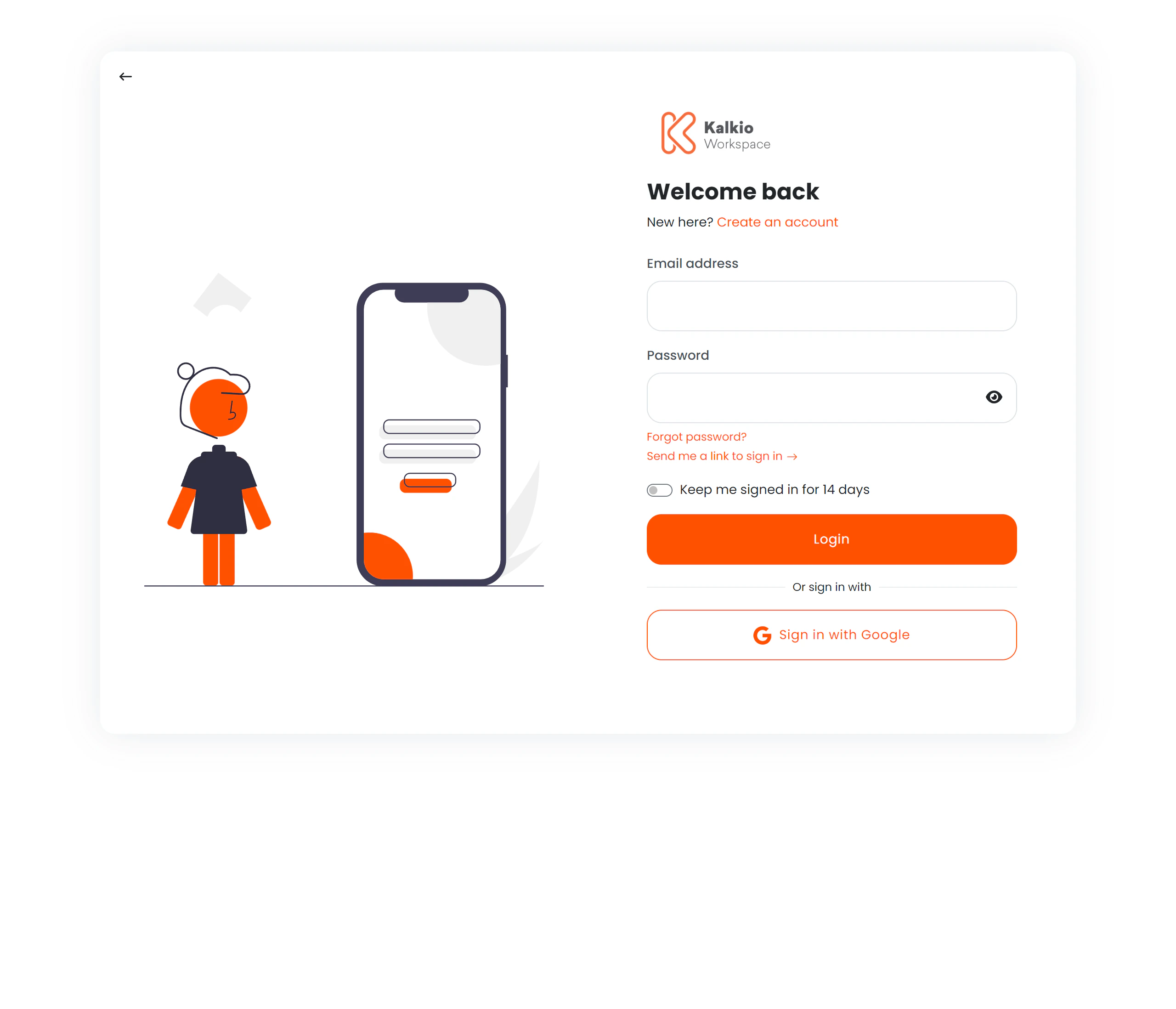
Authentication methods
Email & password
The standard login flow:| Field | Description |
|---|---|
| Member’s registered email address (validated) | |
| Password | Account password with show/hide toggle |
| Remember me | Checkbox to extend the session to 14 days |
Magic link
Instead of typing a password, members can request a one-time login link sent to their email. After clicking “Send magic link”, the page shows a Go to Inbox section with quick links to popular email providers (Gmail, Outlook, iCloud, Yahoo).Two-factor authentication (TOTP)
If enabled, members enter a 6-digit code from their authenticator app after providing their email and password. The OTP input features:- Auto-focus advancing between digits
- Numeric-only input
- Keyboard navigation with backspace support
Single Sign-On (SSO)
Buttons for external identity providers appear when configured:| Provider | Description |
|---|---|
| OAuth via Google accounts | |
| Okta | Enterprise SSO via Okta |
| Azure Active Directory | Enterprise SSO via Microsoft Azure AD |
| OpenID Connect | Generic OpenID Connect provider |
Account creation
If signup is enabled for the location, a Create an account link opens a signup form as a modal overlay — members can register without leaving the login page.Page layout
The page uses a split layout:| Side | Content |
|---|---|
| Left | Illustration graphic (hidden on mobile) |
| Right | Login form, SSO buttons, and signup link |
Redirect handling
After successful login, members are redirected to their intended destination. The redirect URL is validated against a list of allowed domains to prevent open-redirect vulnerabilities.Configuration
| Setting | Effect |
|---|---|
| Signup enabled | Controls whether the “Create an account” link appears |
| Google SSO | Enables Google login button |
| Okta SSO | Enables Okta login button |
| Azure AD SSO | Enables Azure AD login button |
| OpenID Connect | Enables OpenID Connect login button |
| Magic link | Built-in, always available |