The courses section lets you offer structured learning content — multi-lesson programmes that members can enrol in and track their progress through.
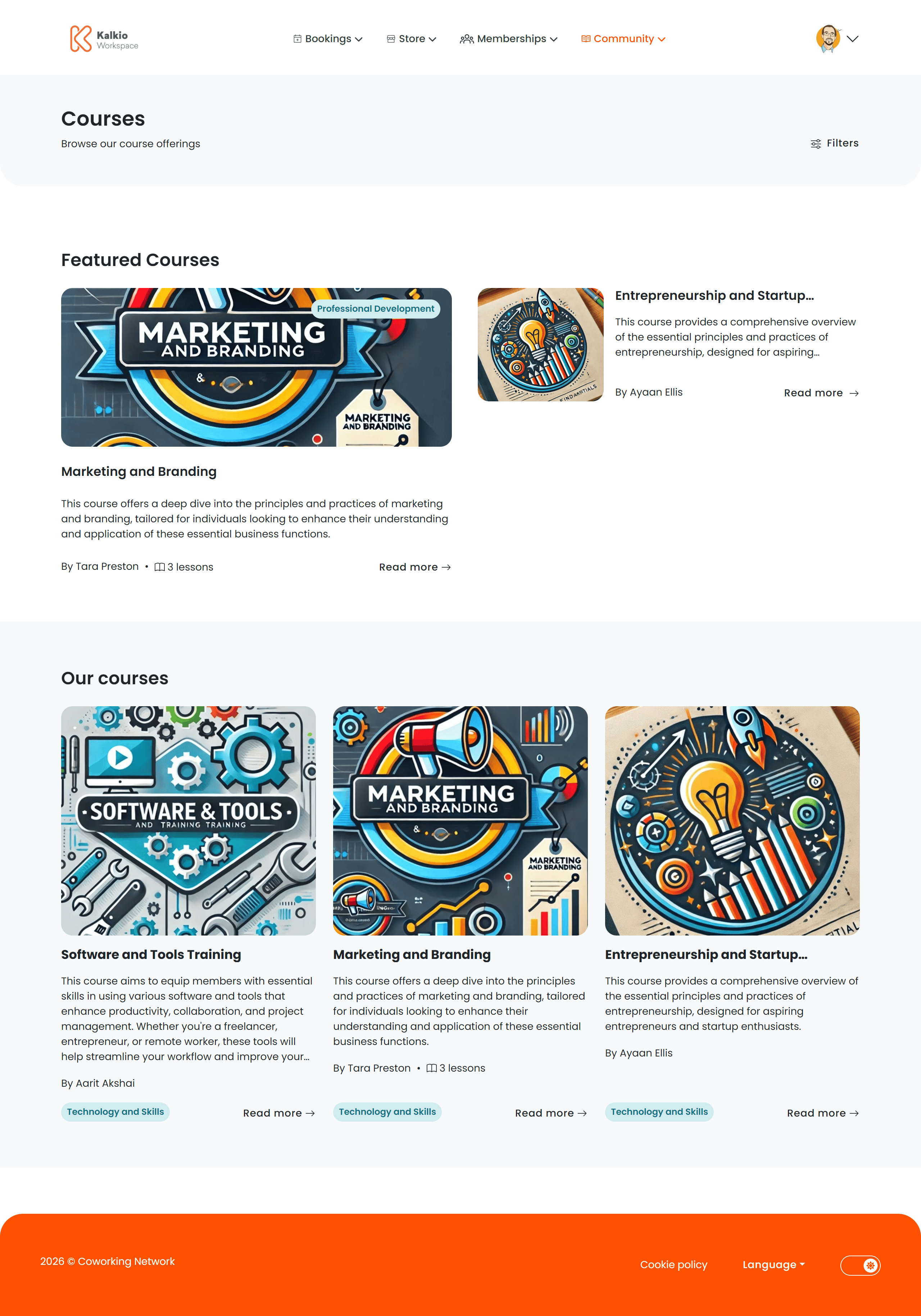
Courses listing page
The listing page displays all published courses in a card grid with filtering.
What each card shows
- Course title and description
- Course image
- Instructor / host name
- Lesson count
- Category tag
Filtering & search
| Filter | What it does |
|---|
| Category | Dropdown to filter courses by their assigned category |
| Search | Free-text search across course titles and content |
Featured courses
On the first page, a Featured Courses section highlights courses marked as featured in the dashboard.
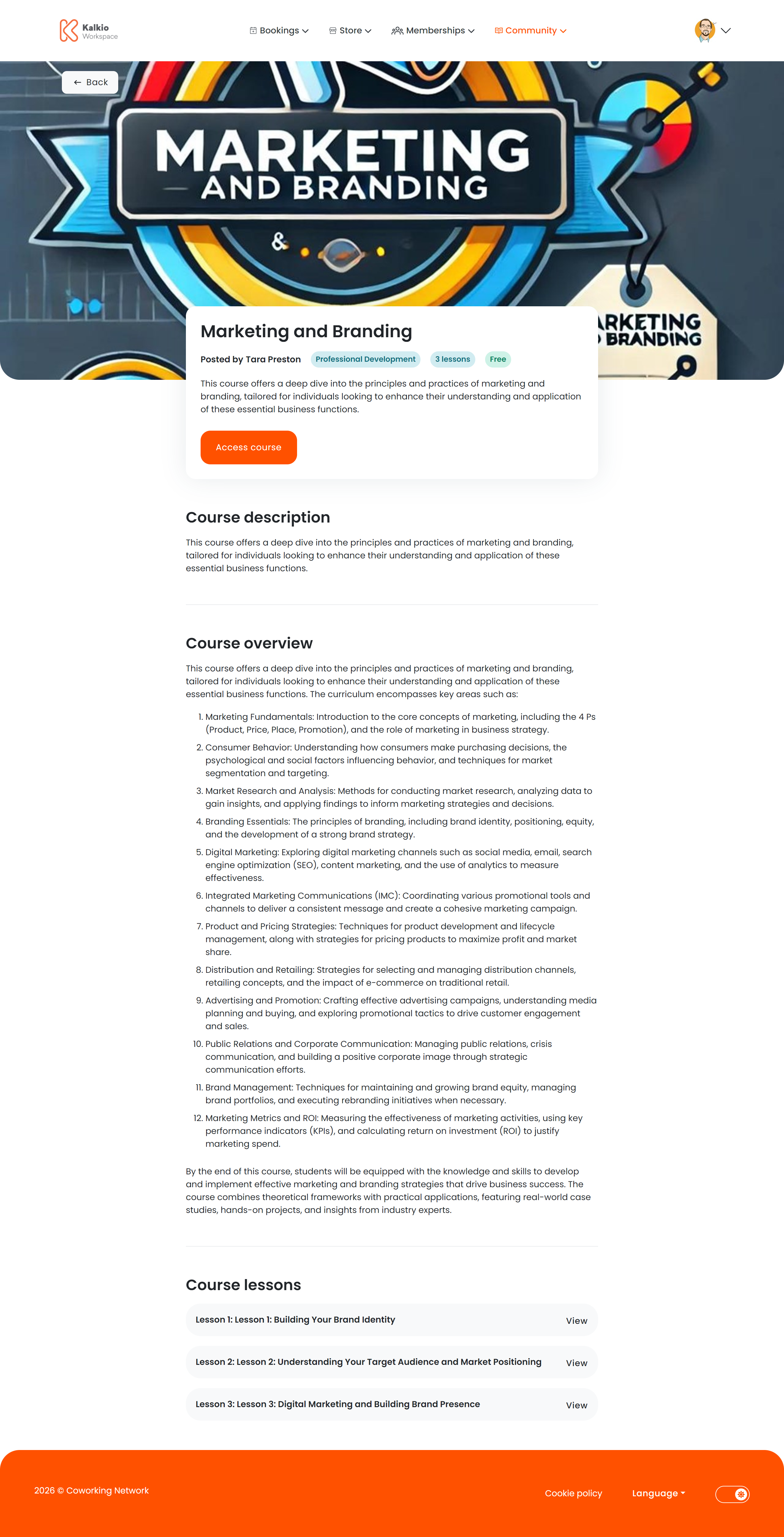
Course details page
Clicking a course card opens the full details view.
- Course title and hero image
- Instructor / host name
- Full description rendered from markdown
- Overview text
- Pricing — the course tariff displayed in the location’s currency
- Lesson count
Lessons
The course curriculum is displayed as expandable panels — one per lesson. Each panel shows:
- Lesson number and title
- Lesson summary (markdown formatted)
Members can expand and collapse individual lessons to browse the syllabus before enrolling.
Enrollment
An Enrol button allows members to start the checkout flow for the course.
Use courses for recurring workshop series, certification programmes, or onboarding curricula. Members can track their progress from the My
Courses activity page.