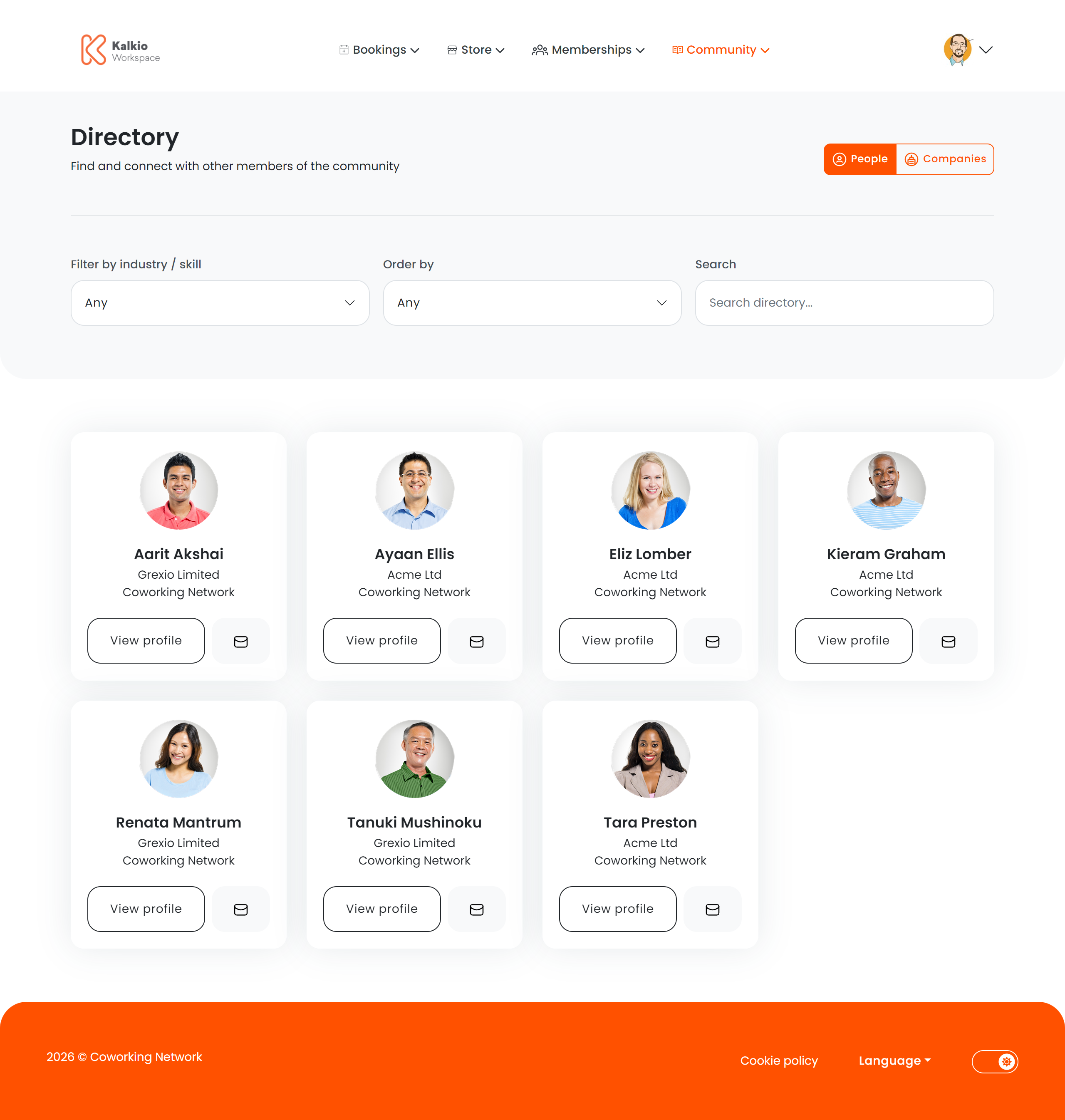
The Members Directory lets members discover and connect with other people and businesses in your coworking community.
What members see
The directory displays member and company profiles as cards. Each card can show:
- Company name
- Home / primary location
- Professional tags and categories (industry, specialty)
- View Profile button — opens the full member profile
- Message button — contact the member directly
Filtering & search
| Filter | Description |
|---|
| Tag filter | Narrow results by industry or specialty tags |
| Order / sort | Sort members by name, date joined, etc. |
| Search box | Free-text search by member or company name |
| Setting | Effect |
|---|
| Show title | Toggle the page heading |
| Show filter bar | Show or hide the full filter row |
| Show tag filter | Enable tag-based filtering |
| Show order filter | Enable sort options |
| Show search box | Enable free-text search |
| Show company name | Display company name on cards |
| Show home location | Display the member’s primary location |
| View profile button | Add a button linking to the full profile |
| Message button | Add a button to contact the member |
Encourage members to complete their Professional Profile (under Profile & Settings) so the directory is useful and engaging. Members can control
their visibility from their own profile settings.