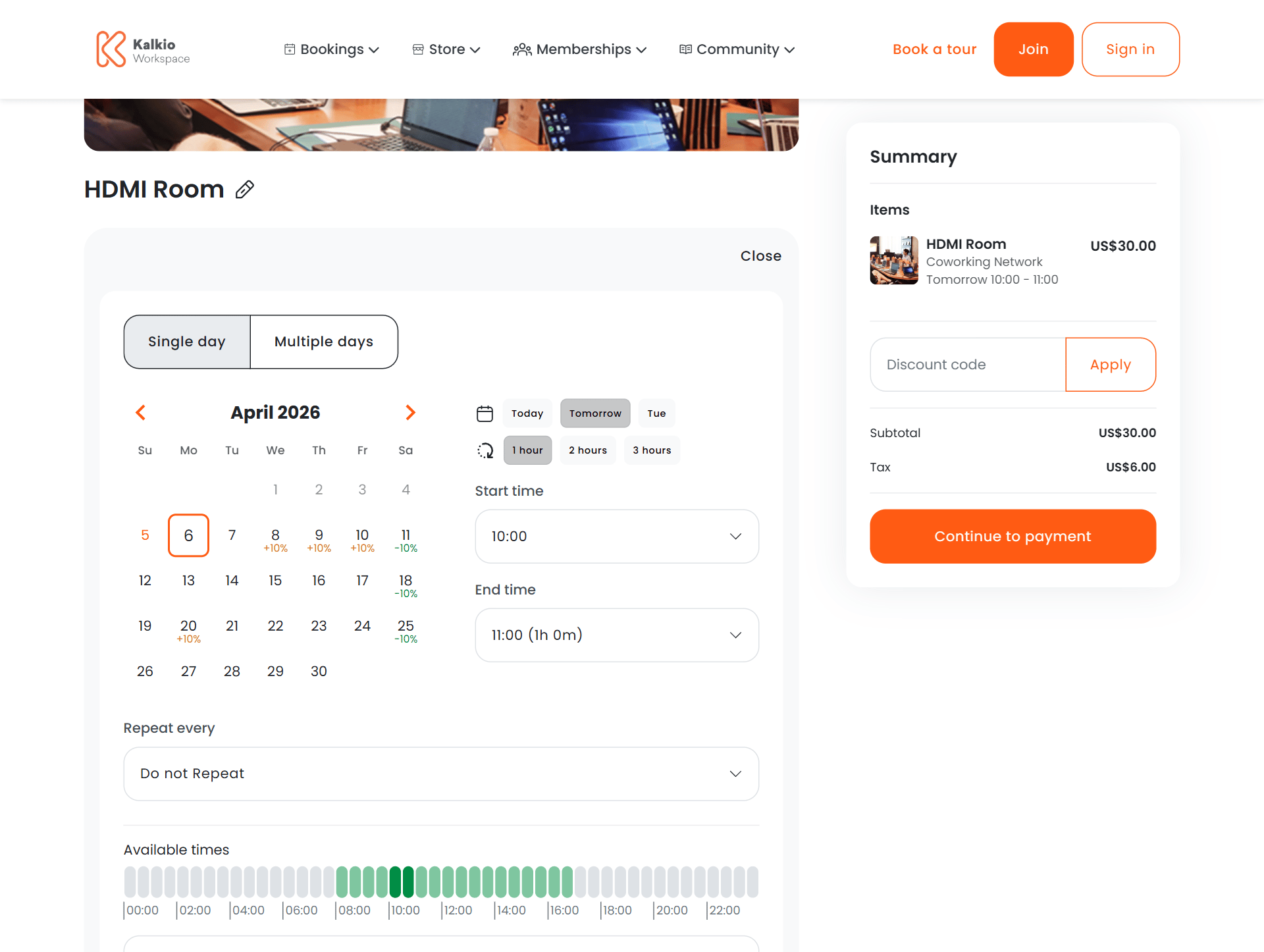
Dynamic pricing automatically adjusts booking prices based on predicted demand, remaining availability, and how close to the booking start time a reservation is made. When enabled, members see real-time price indicators directly in the booking calendar and time selectors.
How members see dynamic pricing
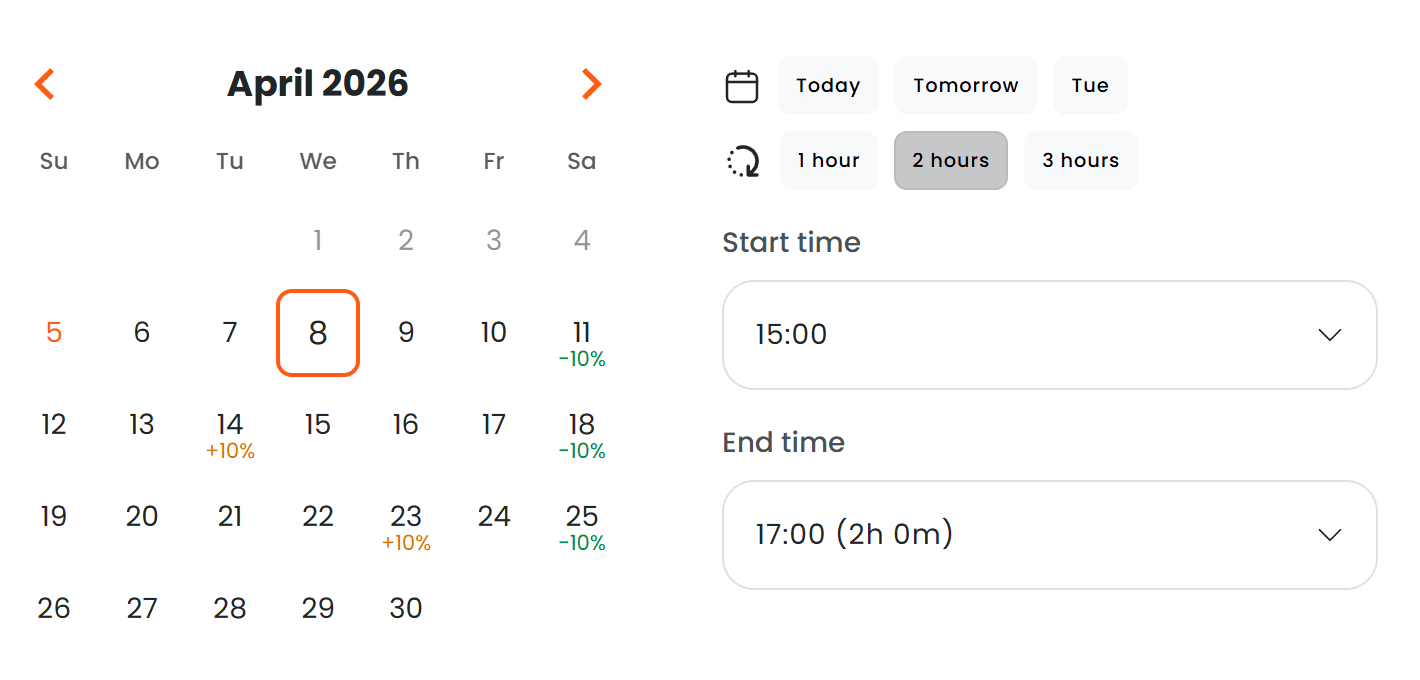
Calendar day prices
When a member opens the booking date picker, each day in the calendar displays a percentage indicator showing how the price for that day compares to the base rate.
| Indicator | Meaning |
|---|
| +10% (orange) | Price is above the base rate due to high demand |
| -15% (green) | Price is below the base rate due to low demand |
| No indicator | No dynamic adjustment — base rate applies |
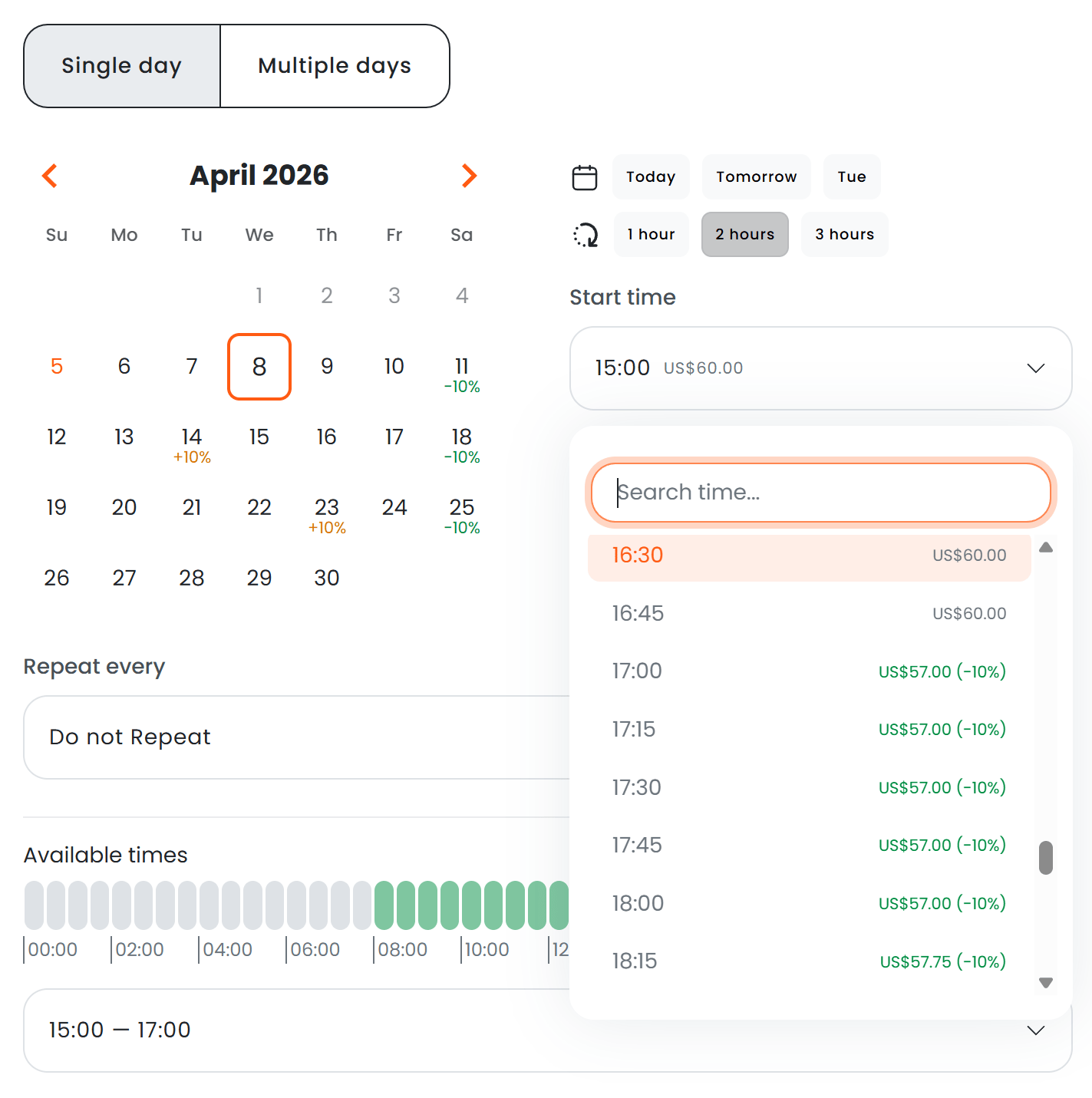
Time selector prices
When a member opens the start or end time dropdown, each time slot shows the calculated price alongside the percentage adjustment.
- Start time dropdown — shows the price for a booking of the same duration starting at each time slot.
- End time dropdown — shows the price for a booking starting at the selected start time and ending at each time slot.
How pricing is calculated
Dynamic pricing is applied per hour of a booking. Each hour is evaluated independently, and the final price is the sum of all hourly prices after adjustments.
Demand-based pricing
The system predicts demand for each hour using a machine learning model trained on:
- Historical booking data — past occupancy patterns by hour, day of week, and season.
- Holiday calendars — public holidays and location-specific closures.
- Forecasted bookings — already-confirmed future bookings that reduce remaining capacity.
Each hour is classified into a demand level — high, average, or low — and a corresponding price factor is applied.
Availability-based pricing
When availability drops below certain thresholds, additional adjustments can be applied:
| Remaining availability | Effect |
|---|
| Less than 50% | Applies the configured factor for < 50% availability |
| Less than 25% | Applies the configured factor for < 25% availability |
| Less than 10% | Applies the configured factor for < 10% availability |
Last-minute pricing
Bookings made close to the start time can receive an additional adjustment. Two modes are available:
- Fixed — a flat percentage adjustment applied when the booking is made within the configured last-minute period.
- Gradual — the adjustment increases as the booking time approaches. A booking made 5 minutes before start receives a larger adjustment than one made 2 hours before.
The last-minute period and adjustment percentage are configurable at both the location and resource rate levels.
Adjustment priority
When multiple pricing rules could apply, the system follows a strict priority order:
- Previously charged bookings — if a booking has already been charged, its original pricing factors are preserved. Editing a charged booking does not recalculate dynamic pricing.
- Resource rate overrides — if the resource rate used for pricing has its own demand or last-minute factors configured, those take precedence over location-level settings.
- Location-level settings — global demand and last-minute factors apply when no resource rate override exists.
Availability-based pricing is evaluated separately and can stack on top of demand-based adjustments.
Configuration
Enabling dynamic pricing
Dynamic pricing requires two conditions:
- The location subscription must have billing available (For example, the Workplaces product does not include billing and therefore cannot use the Dynamic Pricing module).
- The Dynamic Pricing must must be turned on in your Admin Panel.
If either condition is not met, no dynamic pricing indicators appear in the portal and no adjustments are applied.
Location-level settings
| Setting | Description |
|---|
| High demand factor | Percentage adjustment for high-demand hours |
| Average demand factor | Percentage adjustment for average-demand hours |
| Low demand factor | Percentage adjustment for low-demand hours |
| Last-minute factor | Percentage adjustment for last-minute bookings |
| Last-minute period | How many minutes before booking start qualifies as “last minute” |
| Last-minute adjustment type | Fixed, Gradual, or Disabled |
| Apply dynamic pricing from | Date from which dynamic pricing takes effect |
Availability threshold settings
| Setting | Description |
|---|
| Less than 10% factor | Adjustment when less than 10% of capacity remains |
| Less than 25% factor | Adjustment when less than 25% of capacity remains |
| Less than 50% factor | Adjustment when less than 50% of capacity remains |
Resource rate overrides
Each resource rate can override the location-level factors:
| Setting | Description |
|---|
| High demand factor | Overrides the location’s high demand percentage |
| Average demand factor | Overrides the location’s average demand percentage |
| Low demand factor | Overrides the location’s low demand percentage |
| Last-minute factor | Overrides the location’s last-minute percentage |
| Last-minute period | Overrides the location’s last-minute period in minutes |
| Last-minute adjustment type | Overrides Fixed / Gradual for this rate |
Resource rate overrides are useful when some resources (e.g. premium meeting rooms) should have different pricing sensitivity than others (e.g. hot desks).
Portal behaviour
- Prices are fetched lazily — only when the date picker is open and only for the visible month.
- Time slot prices load when the start or end time dropdown is opened.
- Prices update automatically when the selected start or end time changes, since the booking duration affects the total cost.
- Changing the selected day does not trigger a full recalculation — cached prices are reused for days already fetched.
- All price data comes from the
POST /api/public/bookings/price endpoint, which returns the total price and individual adjustment components for a given time range.
Dynamic pricing applies to the price shown at checkout. Members on plans with booking credits or time allowances may see a price that differs from what they are ultimately charged, depending on how credits are applied.