

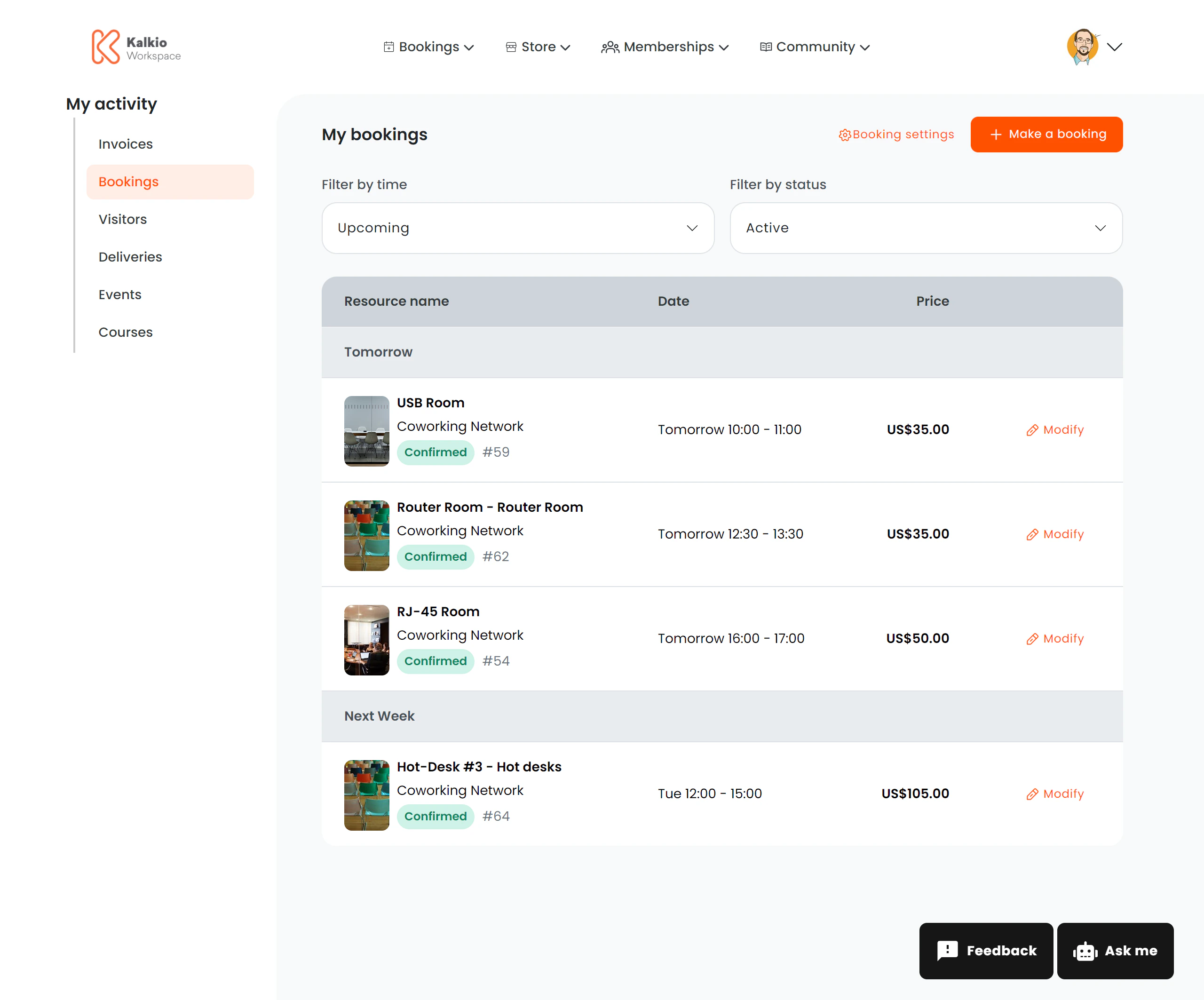
What members see
A list of bookings grouped by date. Each row shows:| Column | Description |
|---|---|
| Resource name | The booked resource (room, desk, etc.) |
| Resource image | A thumbnail of the resource (optional) |
| Desk / location | Specific desk or area within the resource |
| Business name | The location where the resource belongs |
| Start & end time | Booking date and time range in human-readable format |
| Price | Booking cost (shown for individual bookings, hidden for team bookings) |
| Status | Colour-coded badge |
Status badges
| Status | Colour | Meaning |
|---|---|---|
| Confirmed | Green | Booking is confirmed |
| Cancelled | Red | Booking was cancelled |
| Awaiting confirmation | Yellow | Tentative — pending approval |
| Awaiting payment | Red | Payment required to confirm |
Actions
| Action | Description |
|---|---|
| Modify booking | Opens the booking edit page to change dates, desks, or details. Disabled for cancelled bookings. |
| Make a Booking | Quick-action button to start a new booking |
Configurable sections
| Setting | Default | Effect |
|---|---|---|
| Show title | On | Display the section heading |
| Show filter bar | On | Show the filter controls |
| Show team bookings | Off | Include bookings made by team members |
| Show modify button | On | Show the edit booking link |
| Show resource image | On | Display resource thumbnails |
| Show booking settings button | On | Show management options |
| Show Make a Booking button | On | Display the quick book action |