The events section lets members discover upcoming happenings at your coworking space — workshops, networking sessions, socials, and more. It includes a listing page and a detail page for each event.
Events listing page
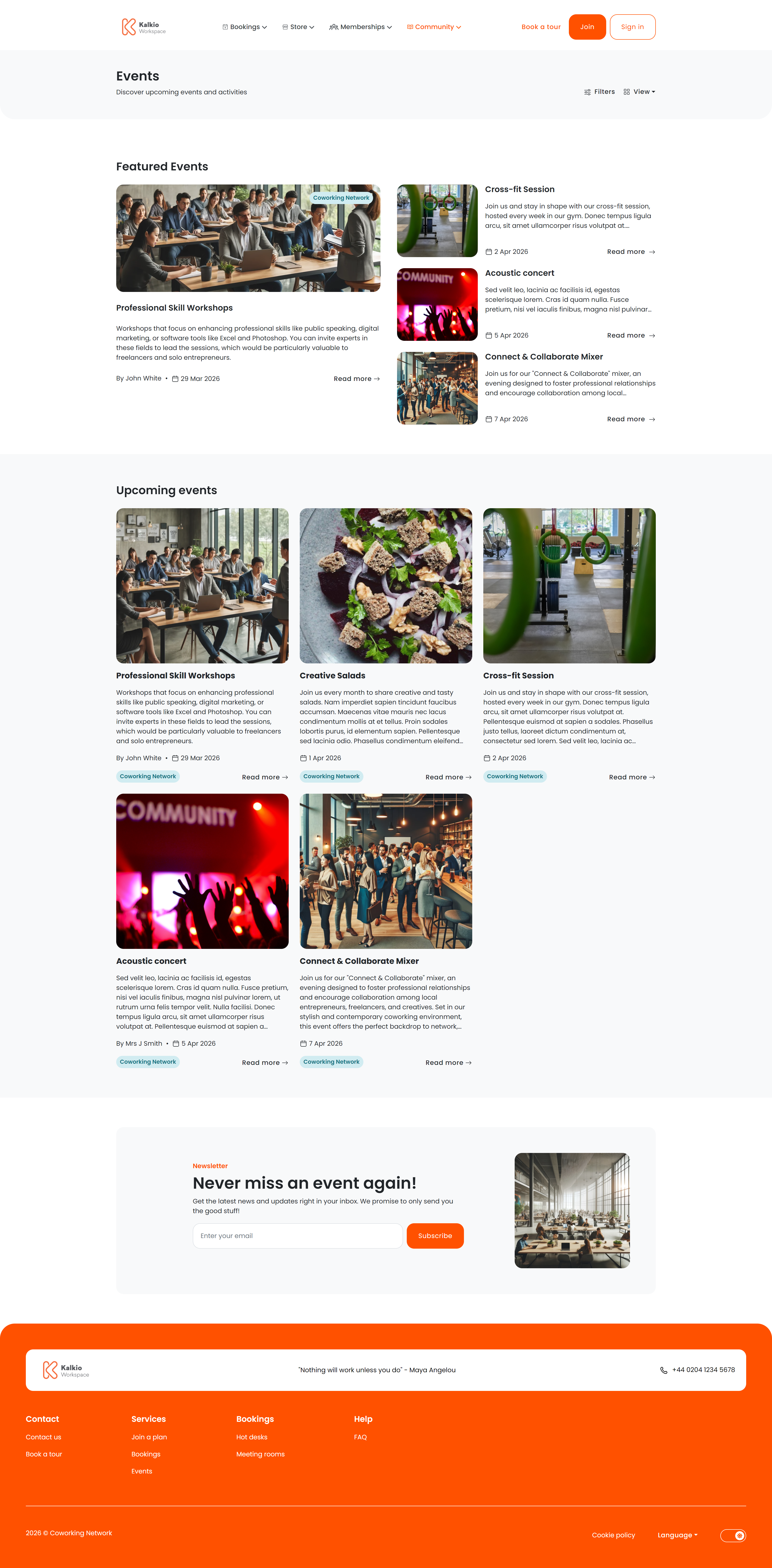
The listing page shows all published events with powerful filtering and two view modes.
View modes
| Mode | Description |
|---|
| List view | Events displayed as cards in a responsive grid — 9 per page with pagination |
| Calendar view | Monthly calendar showing events on their scheduled dates |
Filtering & search
| Filter | What it does |
|---|
| Category | Dropdown of your event categories — members pick one to narrow results |
| Search | Free-text search across event titles and descriptions (auto-triggers after a short delay) |
| Date range | Start/end date pickers to find events within a window |
| Location | Filter by business location (useful for multi-site setups) |
| Past / Upcoming toggle | Switch between future events and events that have already happened |
Featured events
On the first page of results, a dedicated Featured Events section highlights events you have marked as featured in the dashboard. This section does not appear on subsequent pages.
Event details page
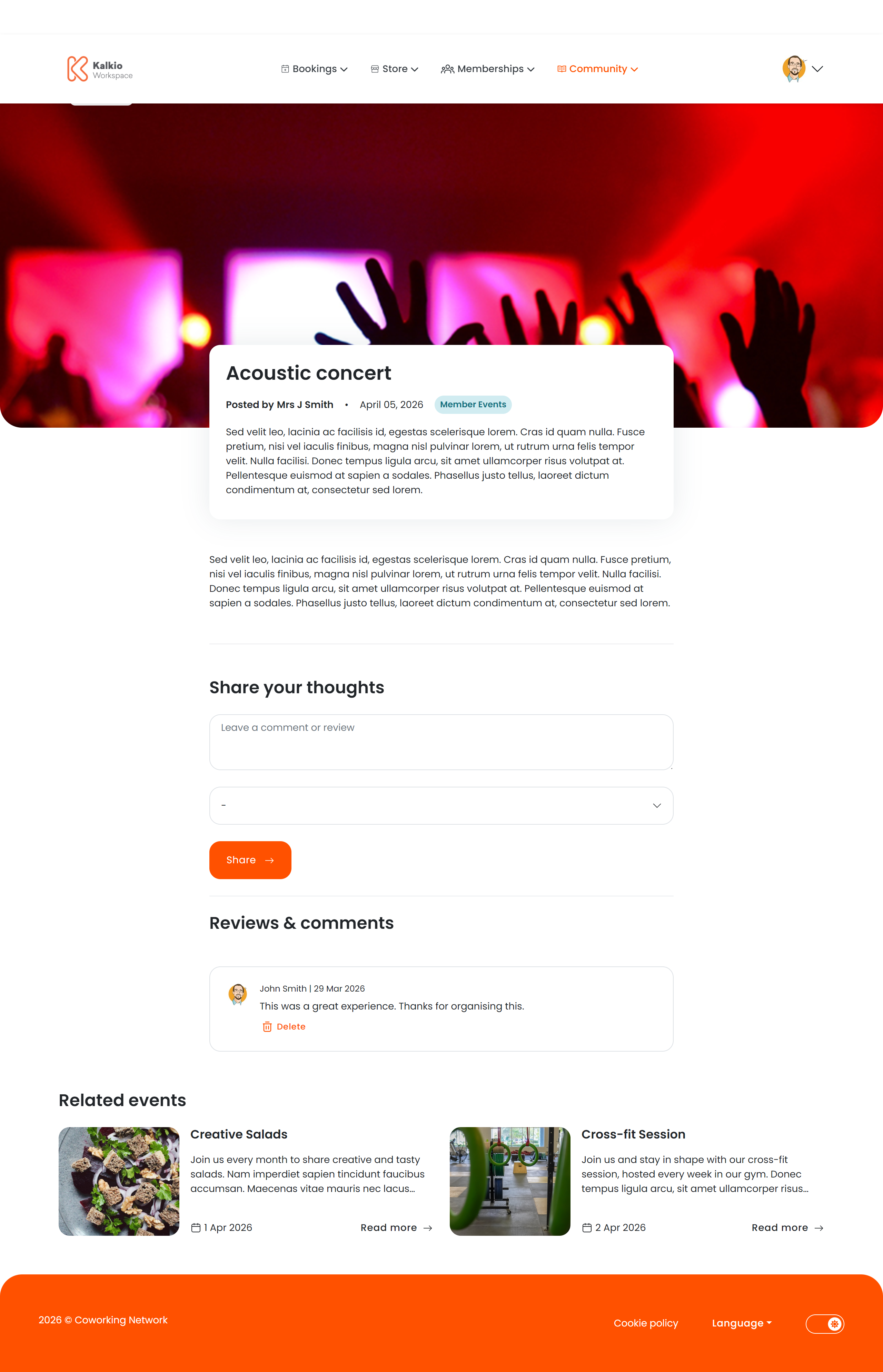
When a member clicks an event, they see the full details.
- Event name, date, and time range
- Location and venue with map link
- Host / organiser name
- Full description rendered from rich text / markdown
- Tickets — each ticket type shows its price and remaining availability. When tickets sell out, a “Sold out” badge appears.
- Waiting list — if enabled, members can join a waiting list for sold-out events.
Members can leave comments with a text body and a star rating. Comment authors can delete their own comments. You can enable or disable the comments section from the Page Editor.
A “Related Events” section shows similar events based on category, encouraging members to discover more. This section can also be toggled on or off.
Mark your most important events as Featured in the dashboard to give them extra visibility on the events listing page.