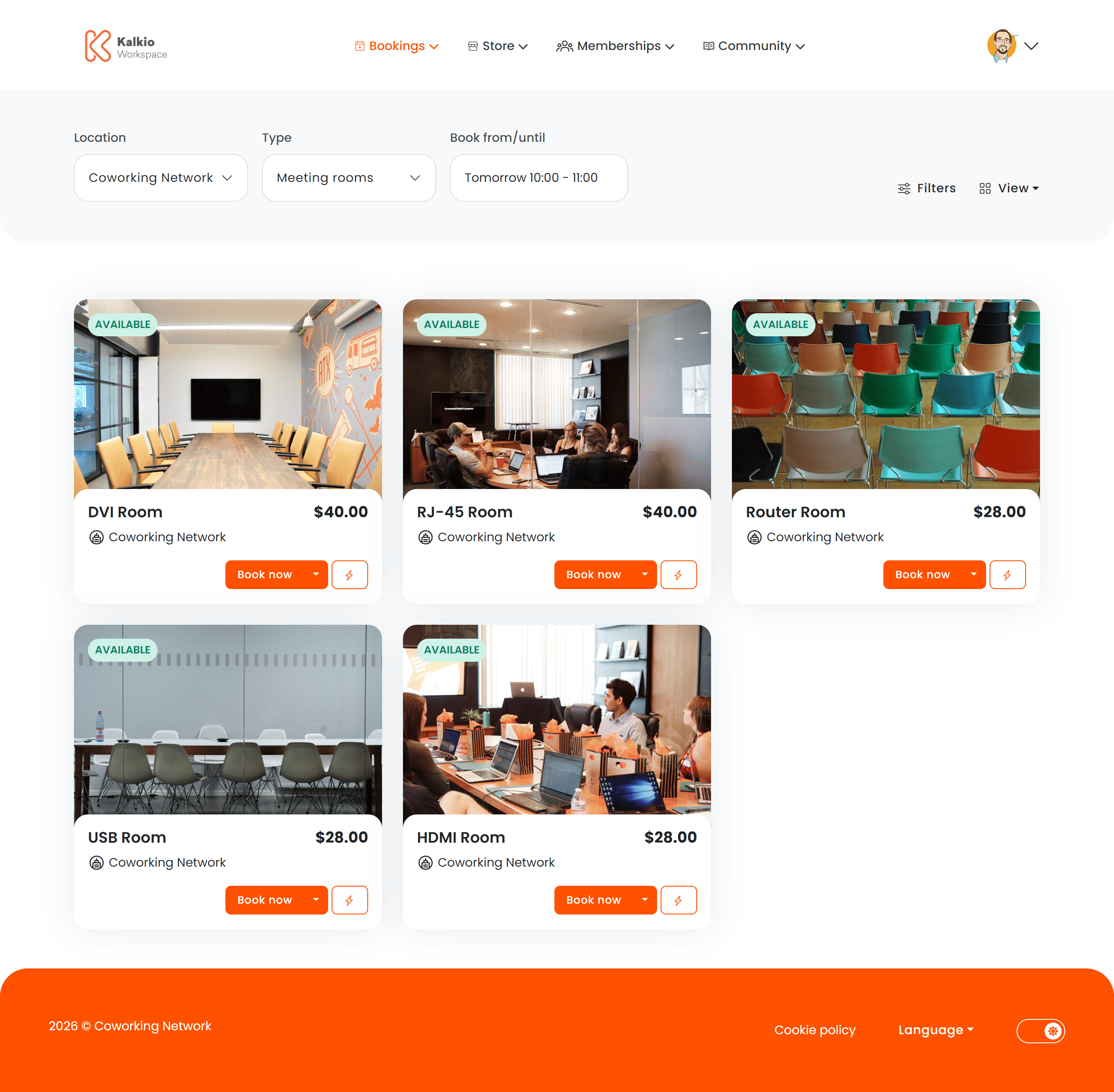
The Resource List page is where members discover and book available resources — meeting rooms, desks, offices, and other bookable spaces across your coworking locations. It supports multiple view modes and powerful filtering to help members find the right space quickly.
What members see
Resources are displayed as cards in a responsive grid. Each card can show:
- Resource name and image
- Capacity (number of seats / people)
- Price per booking unit
- Availability status indicator
- Instant book button — book a resource directly from the card without navigating away
View modes
The Resource List supports multiple ways to browse available spaces:
| Mode | Description |
|---|
| List view | Resources displayed as cards in a responsive grid — the default browsable view |
| Calendar view | Visual calendar showing resource availability across days and time slots |
| Floor plan view | Interactive floor plan where members can see and select resources on a spatial layout |
| Map view | Map-based view showing resource locations — useful for multi-site setups |
Filtering & search
| Filter | What it does |
|---|
| Category | Filter resources by type — meeting rooms, desks, offices, etc. |
| Capacity | Find resources that fit a minimum number of people |
| Amenities | Narrow results by available amenities — projector, whiteboard, video call, etc. |
| Day & duration | Quick shortcuts to filter by date and booking duration |
| Custom fields | Additional filters based on custom fields configured for your resources |
Key features
- Instant booking — members can book a resource directly from the listing without opening a separate checkout page.
- Real-time availability — resource cards show current availability status so members know what is free right now.
- Multi-location support — resources from all your locations are browsable in a single view.
- Responsive layout — the grid adapts to screen size for a consistent experience on desktop and mobile.
From the Page Editor you can control:
| Setting | Effect |
|---|
| Show filters | Toggle the full filter bar |
| Show grid | Display resources in the card grid layout |
| Show price | Show or hide pricing on resource cards |
| Show instant booking | Enable the quick-book button on cards |
| Show calendar view | Allow members to switch to the calendar view |
| Show floor plan view | Allow members to switch to the floor plan view |
| Show map view | Allow members to switch to the map view |
| Show category filter | Enable filtering by resource category |
| Show capacity filter | Enable filtering by capacity |
| Show amenities filter | Enable filtering by amenities |
Enable Instant Booking to let members reserve spaces in one click — it significantly reduces friction and increases booking rates.