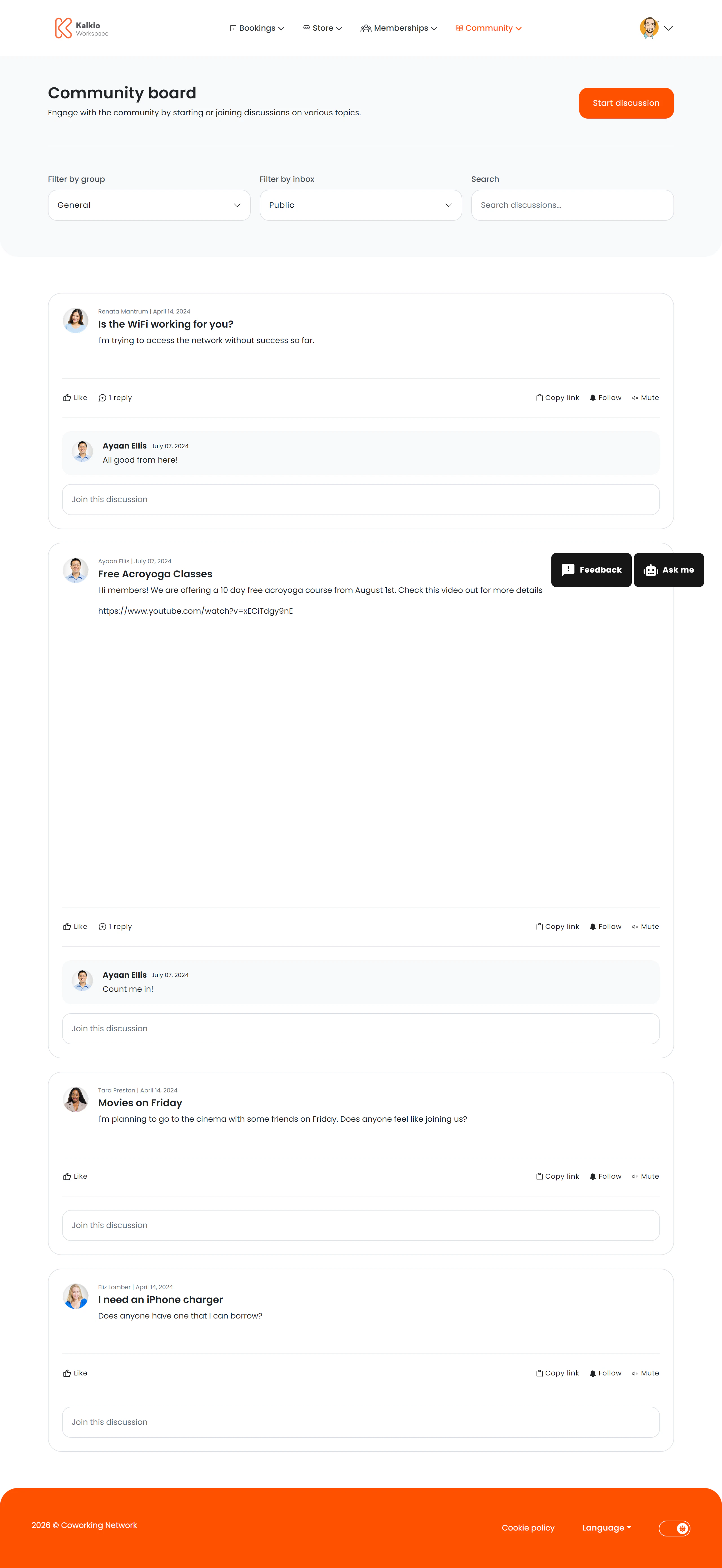
The Community Board is a built-in discussion forum that lets members start conversations, share ideas, and engage with the community.
What members see
- Discussion thread list — a feed of community-posted topics with author name, date, and preview text.
- Start Discussion button — members can create new threads visible to the whole community.
- Filter bar — filter and sort discussions to find relevant topics.
Key features
| Feature | Description |
|---|
| Threaded discussions | Members post topics that others can view and respond to |
| Start Discussion | A call-to-action button for creating new threads (can be toggled on/off) |
| Filtering & sorting | Organise discussions by date or relevance |
| Title toggle | Optionally show or hide the page heading |
- Show or hide the filter bar
- Show or hide the Start Discussion button
- Toggle the page title
The community board helps build a sense of belonging. Use it for member introductions, event recaps, or informal Q&A.