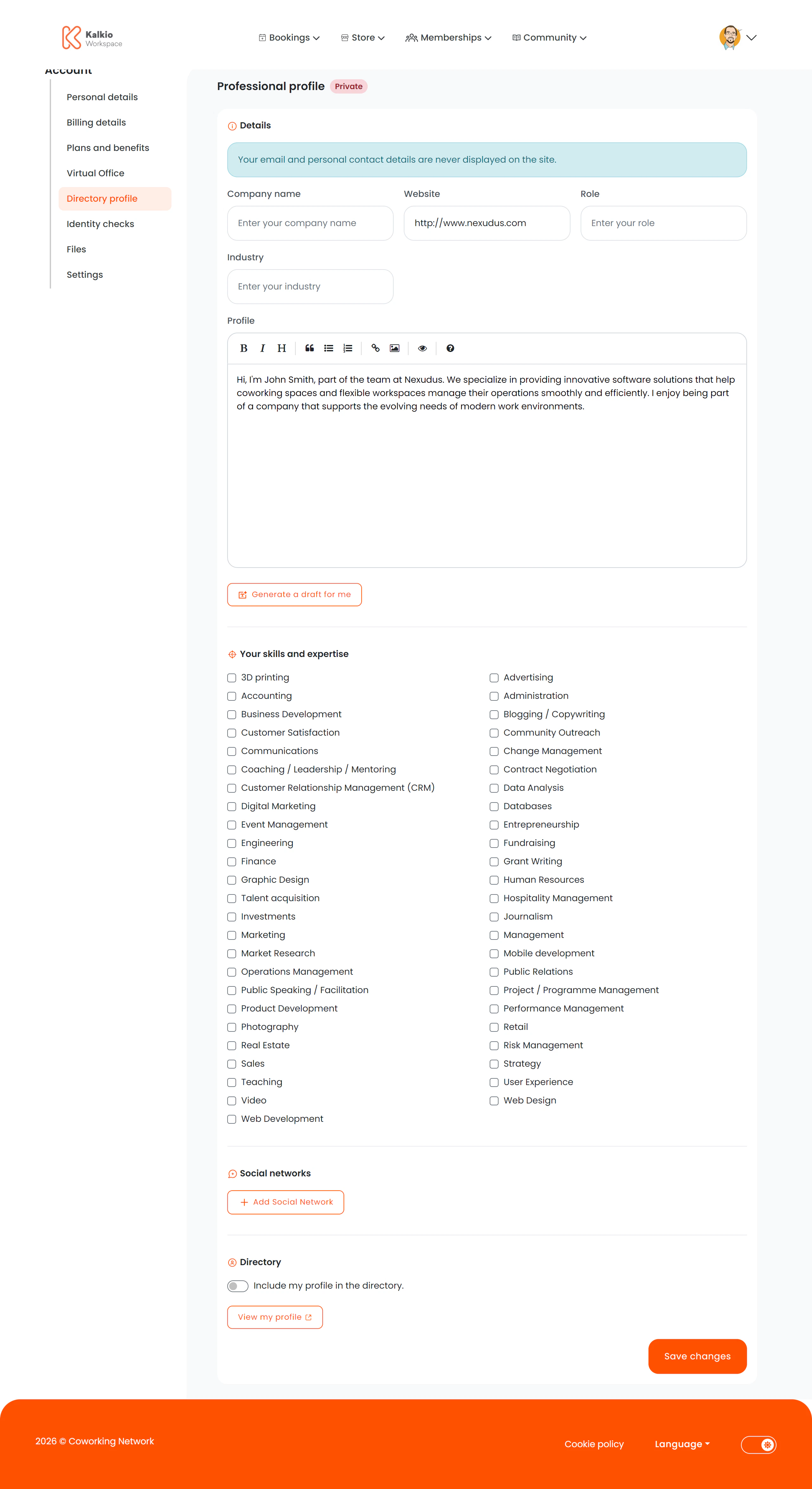
The professional profile page lets members create a public-facing profile for the Members Directory, including industry details, social networks, and skills.
What members see
Professional details
| Field | Description |
|---|
| Company name | Member’s company or business name |
| Job position / role | Current role or title |
| Industry / business area | The industry they operate in |
| Website / portfolio URL | Link to their website |
| Professional summary | A bio or description (supports markdown) |
AI-generated profile
If your location has OpenAI integration enabled (both OpenAI.Enabled and OpenAI.AutoProfile.Enabled), members can click a button to auto-generate a professional summary from their existing profile data.
Members select from a list of configurable skills and tags defined in your business settings. Tags are displayed as multi-select checkboxes.
Social networks
Members can add URLs for up to 11 social platforms:
LinkedIn, Facebook, Twitter, Instagram, GitHub, Skype, Telegram, Pinterest, Vimeo, Flickr, Blogger
All URLs are validated before saving.
Directory visibility
If the Directory module is enabled, a toggle lets members choose whether their profile appears publicly in the Members Directory or remains private.
Key features
- AI profile generation — auto-creates a compelling summary from profile data (optional, per-location setting).
- Skills/tags — customisable per location to match your community’s industries and interests.
- Privacy control — members decide whether they appear in the directory.
- URL validation — all website and social URLs are validated.
Configure relevant skills and tags in your dashboard to help members categorise themselves. This makes the Members Directory more useful for
networking.