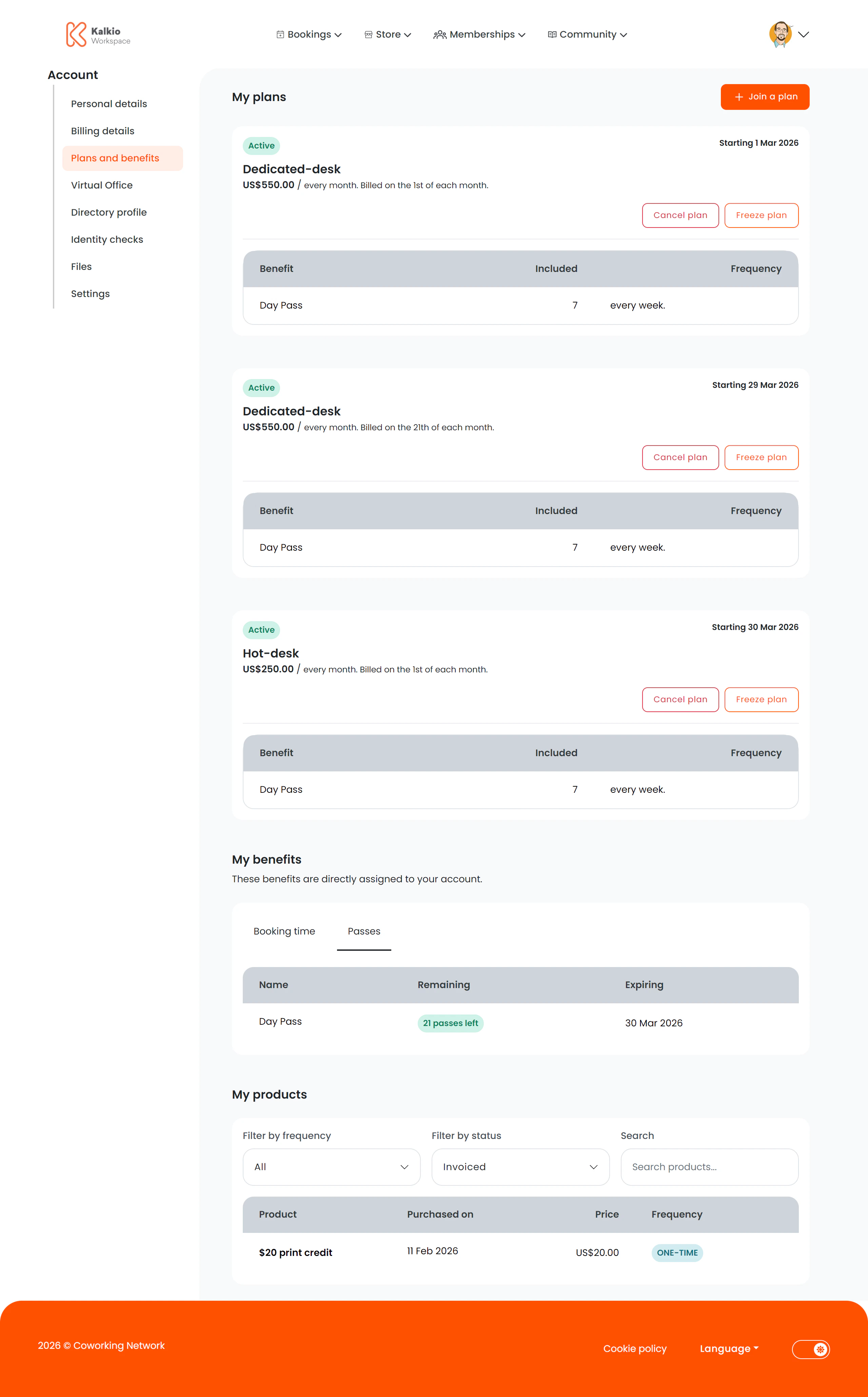
The plans page gives members a complete view of their membership, including plan details, benefits, credits, and purchased products.
What members see
The page is divided into several sections:
My Plans
Lists the member’s active membership plans with details and features. If plan signup is enabled, a Join a Plan button lets members browse and upgrade.
My Benefits (Personal)
Displays benefits tied directly to the member’s own plan:
| Benefit type | Description |
|---|
| Booking credits | Available credit balance and usage history for resource bookings |
| Time passes | Active time-based passes for coworking access |
| Extra services | Add-on services included with the plan |
Team Benefits
If the member belongs to a team with shared benefits, a separate section shows team-level entitlements with the same structure as personal benefits (booking credits, time passes, extra services).
My Products
Lists any products the member has purchased, including details and expiration dates.
Configurable sections
| Setting | Default | Effect |
|---|
| Show title | On | Display section headings |
| Show Join Plan button | On | Allow members to browse and join new plans |
| Show plans section | On | Display active plans |
| Show benefits section | On | Display benefits overview |
| Show products section | On | Display purchased products |
| Show booking credit section | On | Display booking credits subsection |
| Show booking time section | On | Display time passes subsection |
| Show passes section | On | Display passes subsection |
Members use this page to understand exactly what their plan includes. Make sure your plans are configured with clear descriptions and benefit
allocations in the dashboard.