Blog
The blog section gives your space a content marketing channel directly inside the portal. Publish articles about community news, industry insights, or space updates.
Blog listing page
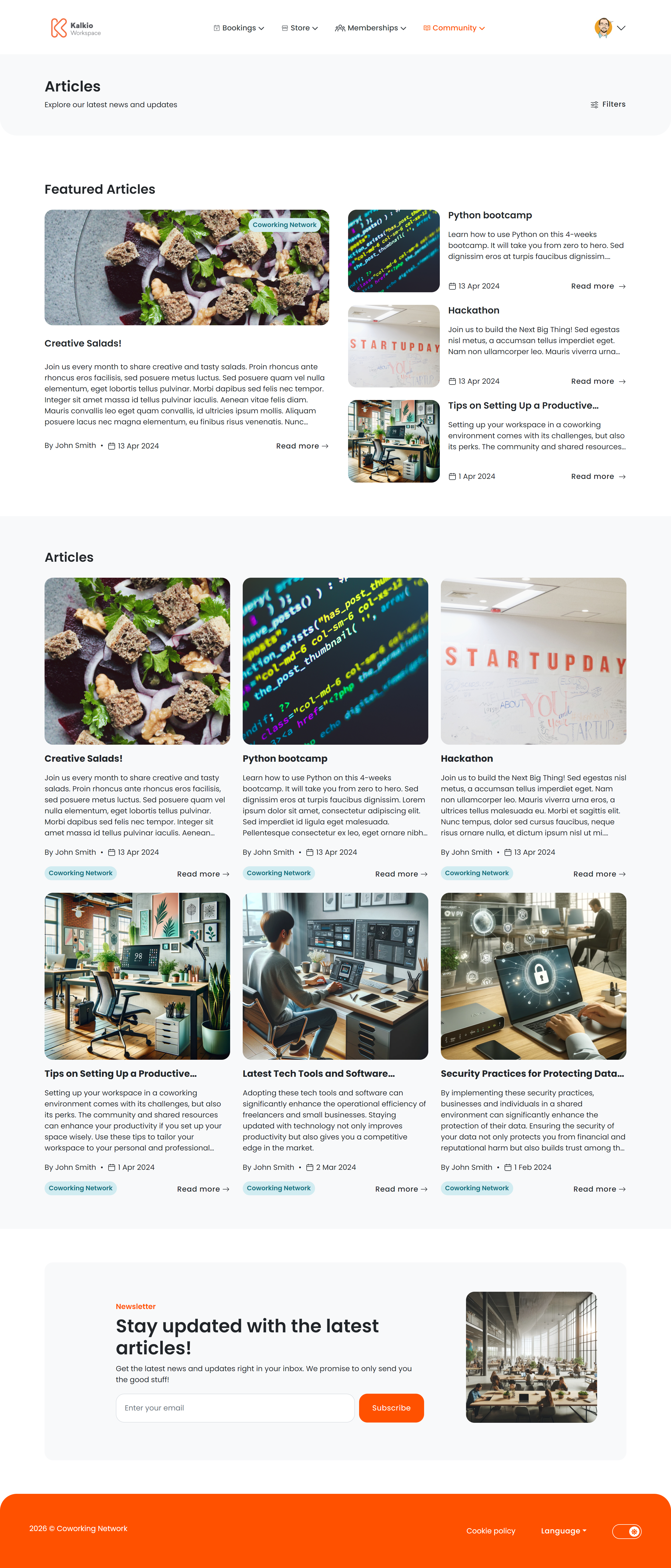
The listing page shows all published blog posts in a card grid.
What each card shows
- Title and summary excerpt
- Featured image
- Author / “posted by” name
- Publication date
- Category tag
Filtering & search
| Filter | What it does |
|---|
| Category | Filter posts by their assigned category |
| Search | Free-text search across post titles and content |
Featured posts
On the first page, a Featured Posts section highlights articles you have marked as featured.
Newsletter signup
A Newsletter subscription section appears at the bottom of the listing page so visitors can opt in to email updates.
Blog post details page
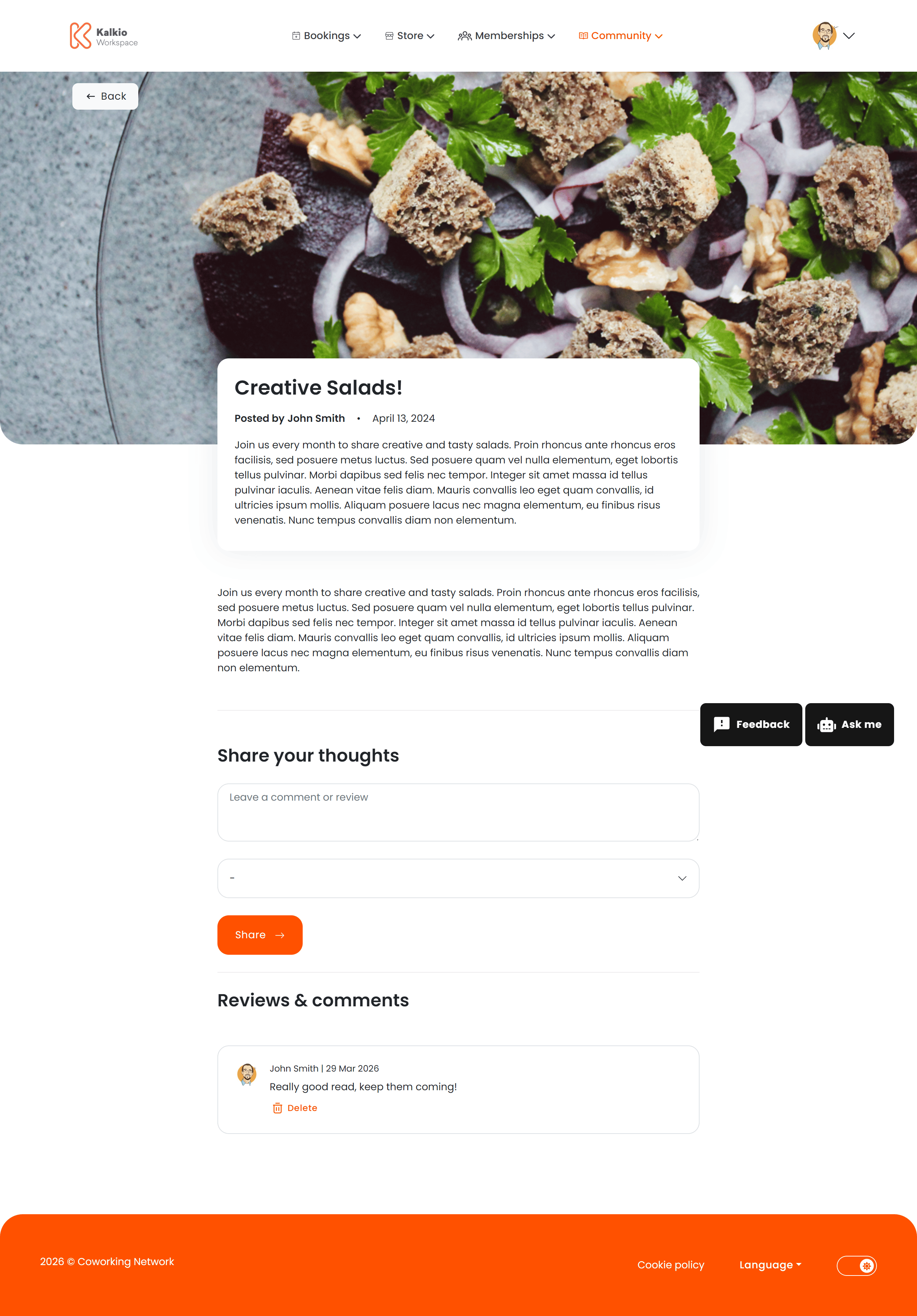
Clicking a post opens the full article view.
- Full article content — HTML / markdown rendered with formatting preserved
- Author and publication date
- Category
- Hero image
Members can leave comments with a title, body, and star rating. Authors can delete their own comments. The comments section can be enabled or disabled from the Page Editor.
Related articles
A Related Articles section shows similar posts by category. This section is toggleable from the Page Editor.
Consistent blogging keeps your portal feeling active and gives members a reason to check back. Feature your best articles to keep them visible.