

Member Portal Overview
The Members Portal is the member-facing web application that comes with every Nexudus location. It is the primary touchpoint between your coworking space and the people who use it — prospective visitors browsing your site, members managing bookings, and teams coordinating resources.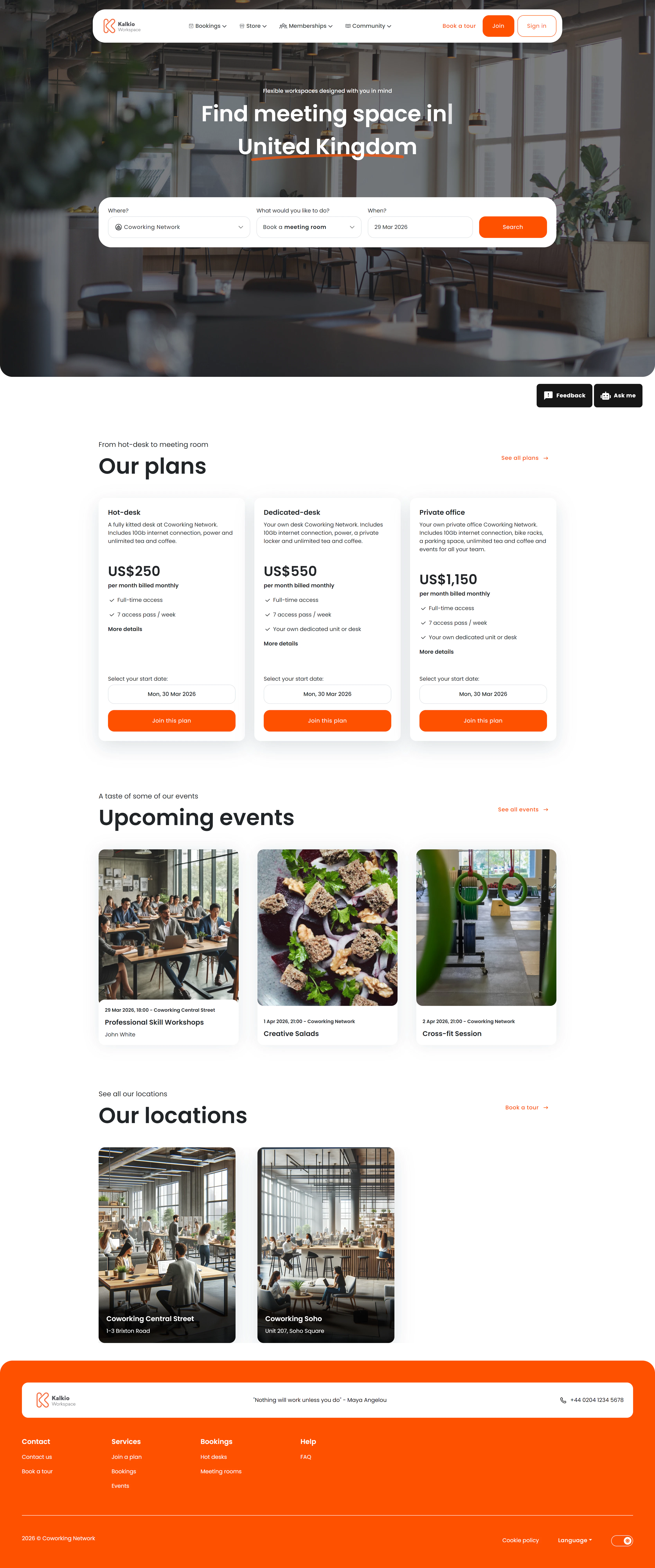
Portal sections at a glance
| Section | What it covers |
|---|---|
| Public / Landing | Home page, events, courses, blog, contact, community board, directory, perks |
| Checkout / Purchase | Booking, product, event, and course checkout flows |
| User Dashboard & Activity | Personal dashboard, invoices, bookings, events, courses, visitors, deliveries, plans, FAQ, help desk |
| User Profile & Settings | Personal info, billing, professional profile, integrations, security, account settings |
| Team Management | Team bookings, attendance, members, and permissions |
| Virtual Office | Multi-step virtual office onboarding |
| Authentication | Sign in, forgot password, password reset |
How configuration flows to the portal
Settings you configure in the Nexudus admin dashboard — products, resources, events, branding, permissions — automatically appear in the portal. There is no manual syncing. When you update a resource name or add a new event, members see the change immediately.Portal configuration
Custom Domain Setup
Use your own domain name for the Members Portal instead of the default Nexudus subdomain.
Widget Embedding
Embed the Members Portal directly into your existing marketing website.