The team management section is available to members who are designated as team managers or administrators. It provides visibility into team-wide bookings, attendance, membership, and permissions.
All team management pages are fully customisable through the Page Editor in the Nexudus dashboard, using the editor outline system.
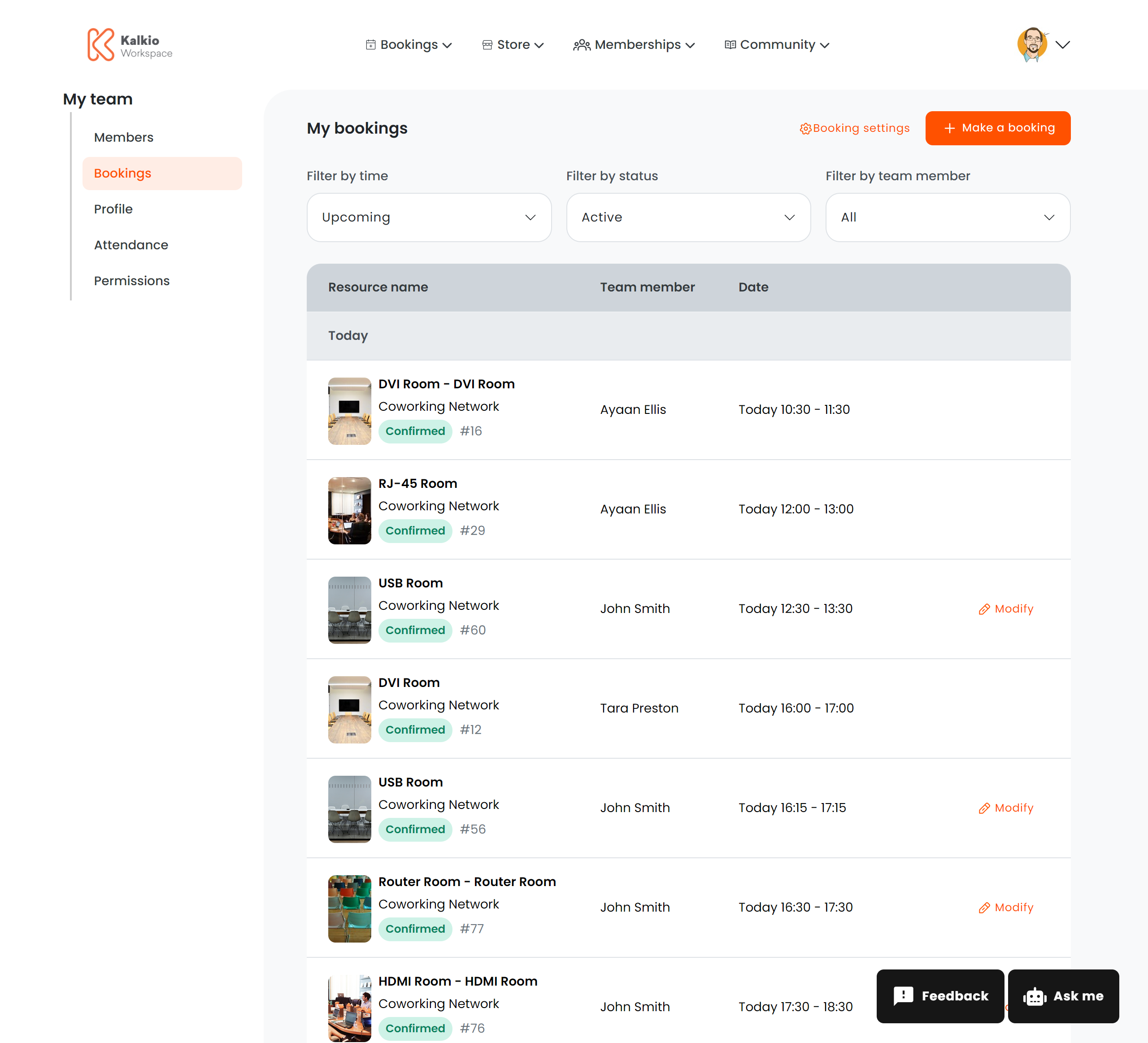
Team Bookings
Route: /user/team/bookings
Displays all resource bookings made by members of the team. Team managers can review upcoming and past reservations made by any team member. The layout and visible fields are configured entirely through the Page Editor.
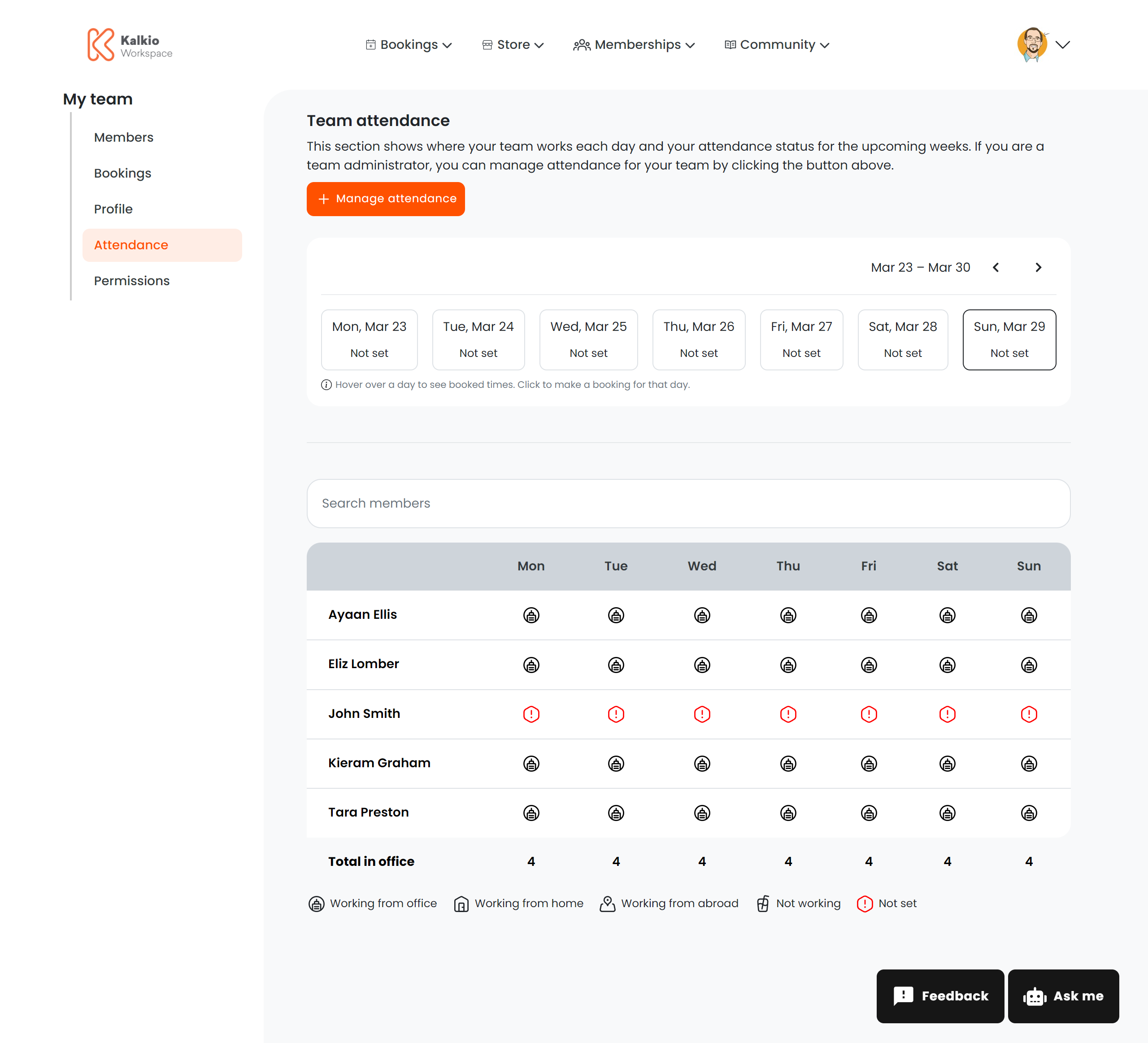
Team Attendance
Route: /user/team/attendance or /user/team/attendance/:teamId
Shows attendance records for team members — check-in and check-out times, presence data, and usage patterns. Useful for understanding how the team uses the space.
The :teamId URL parameter allows managers of multiple teams to view attendance for a specific team.
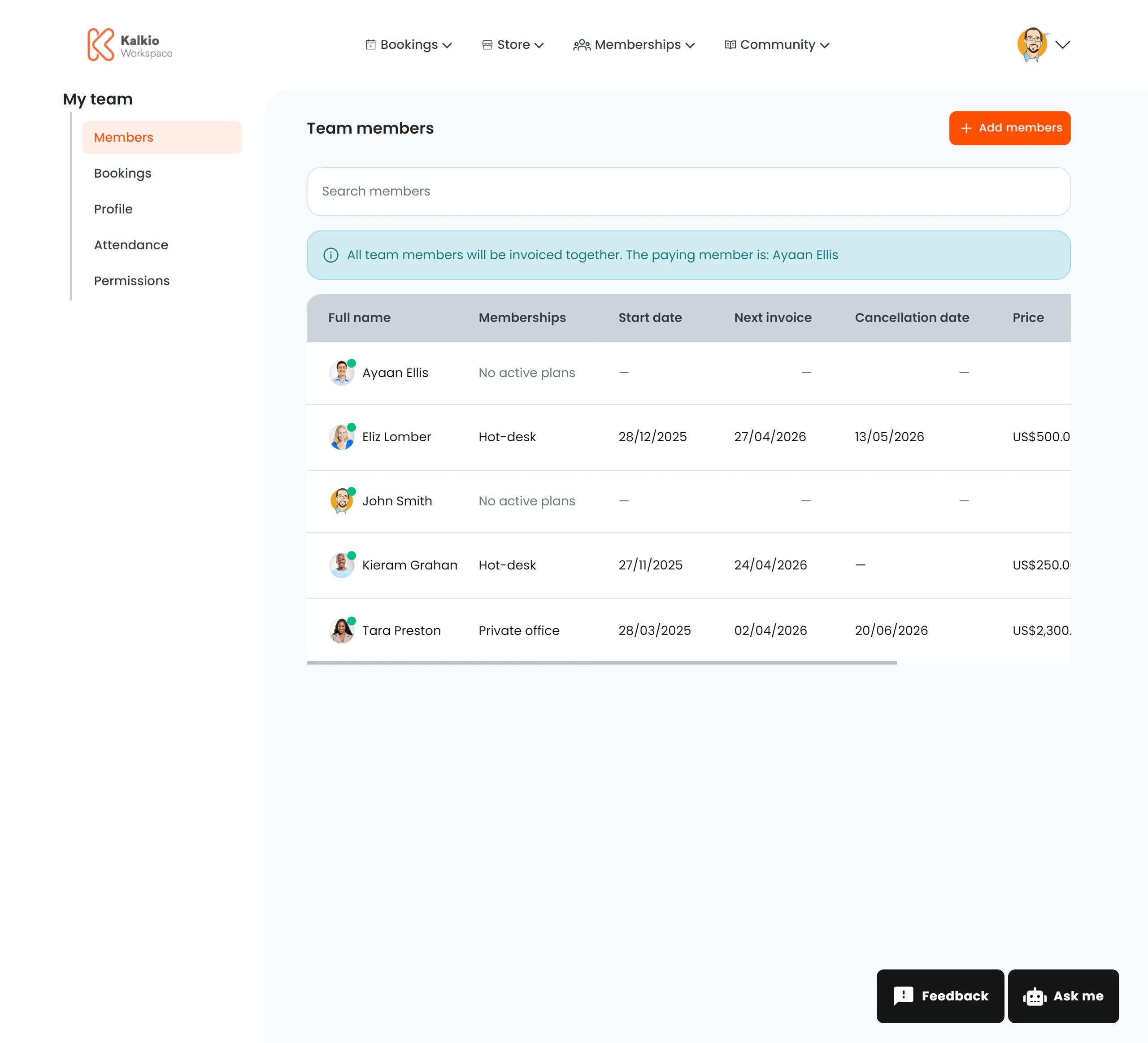
Team Members
Route: /user/team/members or /user/team/members/:teamId
Lists all members of the team with their profile information. Team managers can view who belongs to the team and manage membership.
The :teamId URL parameter scopes the view to a specific team when the manager oversees multiple teams.
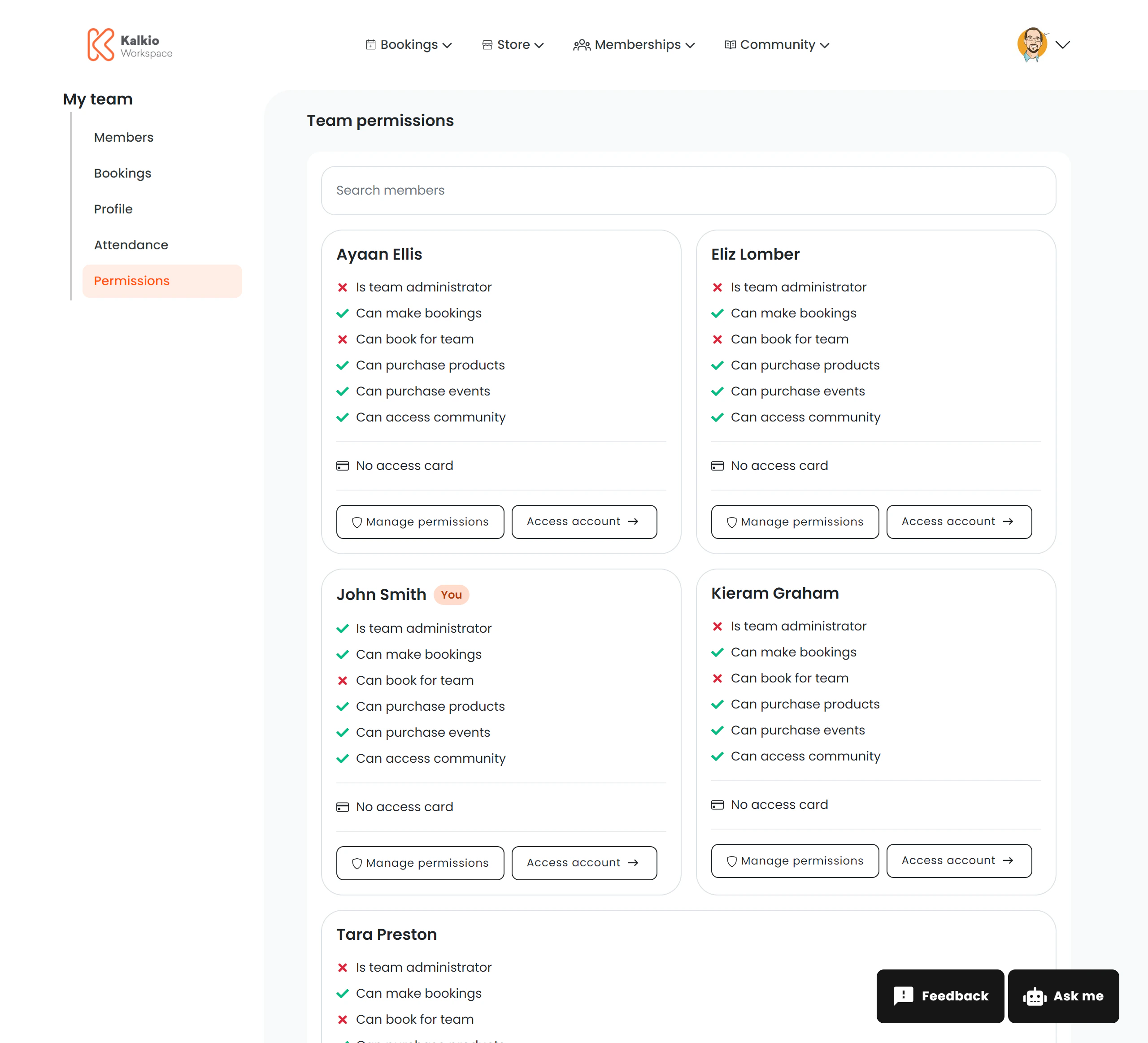
Team Permissions
Route: /user/team/permissions or /user/team/permissions/:teamId
Manages role-based access controls and permissions for team members. Team managers can assign roles and configure what each member is allowed to do within the portal.
The :teamId URL parameter scopes the view to a specific team.
Configuration
All four team management pages use the editor outline system, meaning their content and layout are entirely customisable from the Page Editor. There are no hard-coded UI elements — everything is driven by your dashboard configuration.
Team management features are only visible to members with the appropriate team manager or admin role. Regular members will not see these pages in
their navigation.