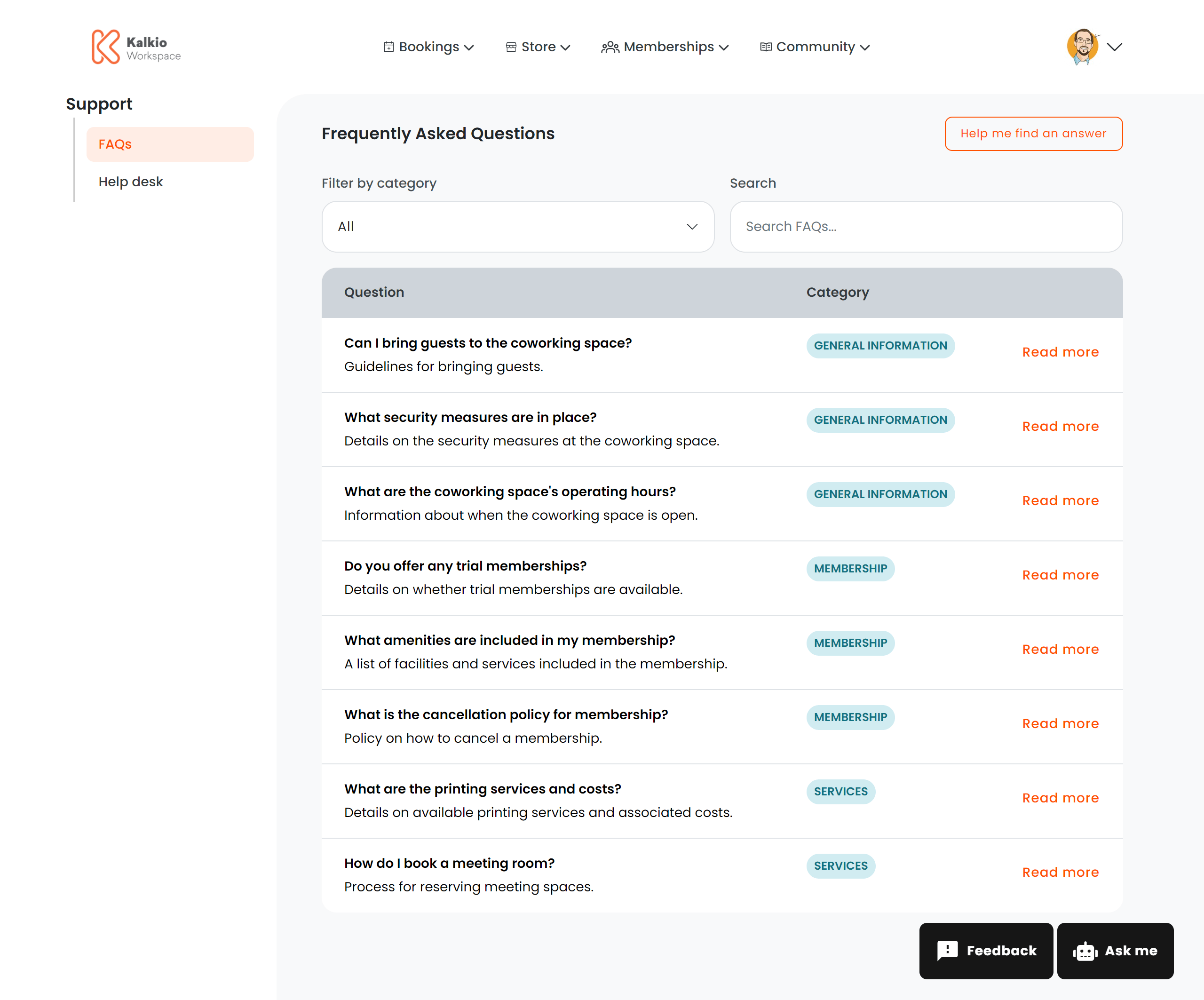
The FAQ page provides a searchable knowledge base of frequently asked questions for your members.
What members see
A table of FAQ articles with the following columns:
| Column | Description |
|---|
| Question title | The FAQ question (truncated if long) |
| Summary | A brief excerpt of the answer |
| Category | Colour-coded category badge |
| Read more | Button to open the full article |
Full article view
Clicking “Read more” opens a modal with the complete answer rendered from HTML, displayed at a comfortable reading size.
Filtering & search
| Filter | Description |
|---|
| Search | Real-time search across question titles and summaries (case-insensitive) |
| Category | Dropdown to filter by FAQ category, with an “All” option |
Key features
- Direct linking — append
?faq_id=123 to the URL to open a specific article automatically.
- AI integration — can trigger an AI chat assistant for answers not covered in the FAQ.
- Empty state — shows a “No results” message when no articles match the current filters.
Configurable sections
| Setting | Default | Effect |
|---|
| Show title | On | Display the section heading |
| Show filter bar | On | Show search and category filter controls |
FAQ articles are created in the Nexudus dashboard. Organise them into categories to help members find answers faster.