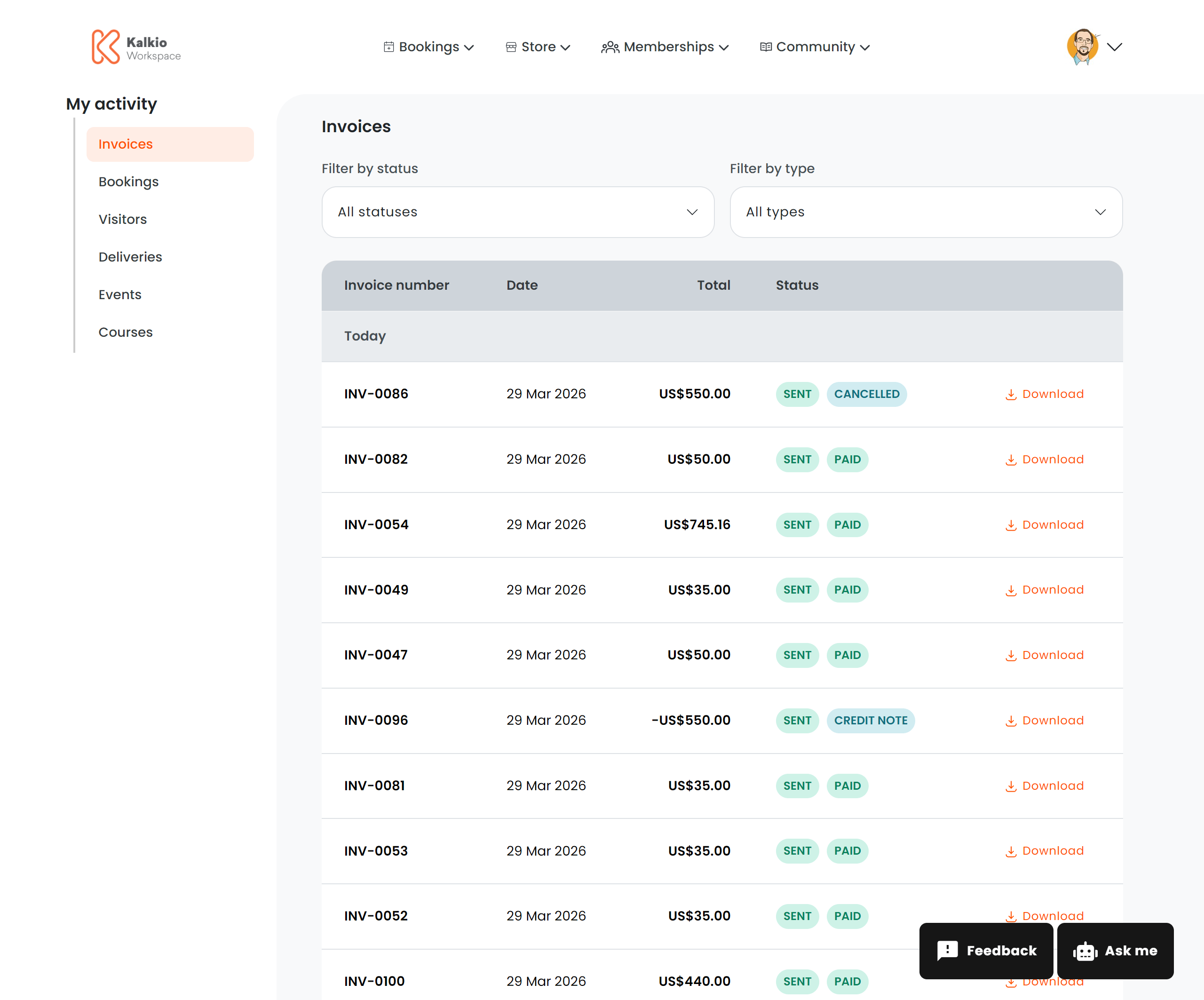
The invoices page gives members a complete view of their billing history — invoices, credit notes, payment status, and quick actions.
What members see
A paginated table of all invoices and credit notes grouped by date, with the following columns:
| Column | Description |
|---|
| Invoice number | The unique invoice identifier |
| Date | When the invoice was issued |
| Total | The invoice amount in localised currency |
| Status | Visual badge showing the current state |
Status badges
Invoices display colour-coded status badges:
| Status | Meaning |
|---|
| Paid | Fully paid |
| Unpaid | Payment outstanding |
| Due | Payment is due |
| Draft | Invoice not yet finalised |
| Void | Invoice cancelled |
| Sent / Not sent | Whether the invoice was emailed |
| Processing | Payment is being processed |
| Partially paid | Some payment received |
| Partially refunded | Partial refund issued |
| Refunded | Fully refunded |
| Cancelled | Invoice cancelled |
| Credited | Offset by a credit note |
Filtering
| Filter | Description |
|---|
| Payment status | Filter by Paid or Unpaid |
| Document type | Filter by Invoices or Credit Notes |
Actions
| Action | Description | Requires |
|---|
| Download PDF | Download the invoice as a PDF file | Billing print permission |
| Pay Invoice | Navigate to the payment checkout for an unpaid invoice | Billing access permission |
Configurable sections
| Setting | Default | Effect |
|---|
| Show title | On | Display the section heading |
| Show download button | On | Enable PDF downloads |
| Show filter bar | On | Show the filter dropdowns |
| Show pay button | On | Show payment links for unpaid invoices |
Members can only see invoices for their own account. Team managers may see team-level invoices depending on their permissions.