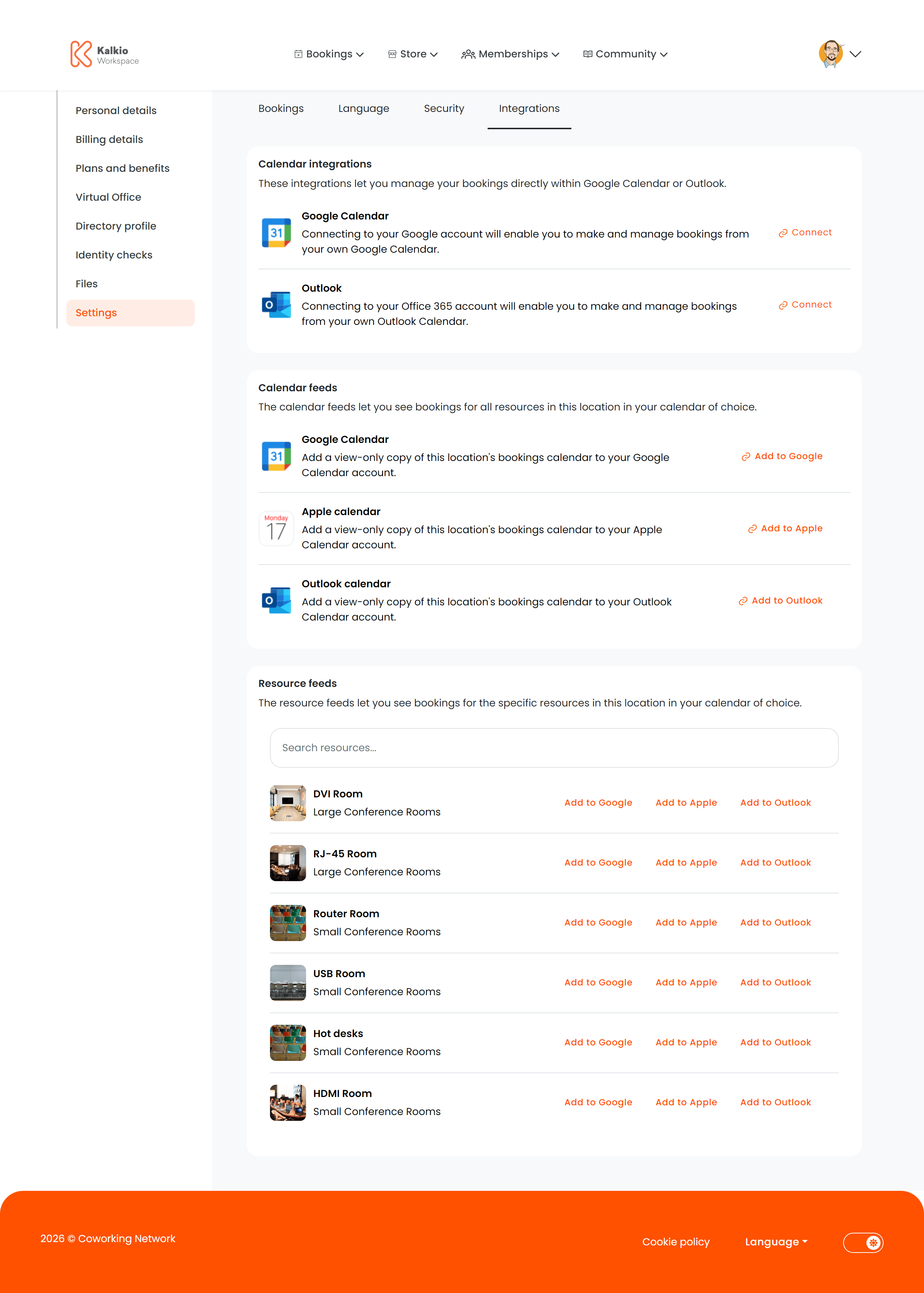
The integrations page lets members connect their calendar services and subscribe to booking feeds so they can see their coworking schedule alongside personal and work commitments.
What members see
Calendar integrations
Direct two-way sync with external calendar providers:
| Provider | Description |
|---|
| Google Calendar | Sync bookings to Google Calendar |
| Microsoft Outlook | Sync bookings to Outlook |
| Zoom | Connect Zoom for meeting room bookings (only shown if enabled) |
Calendar feeds (iCal)
One-way iCal feeds that members paste into their preferred calendar app. Supported providers:
| Provider | Description |
|---|
| Google Calendar | iCal feed URL for Google |
| Outlook | iCal feed URL for Outlook |
| Apple Calendar | iCal feed URL for Apple Calendar |
Resource feeds
Per-resource iCal feeds that show bookings for individual rooms, desks, or spaces. Members can subscribe to specific resources they frequently use.
Key features
- Two-way sync — calendar integrations push and pull events between Nexudus and the external calendar.
- One-way feeds — iCal feeds are read-only subscriptions that update automatically.
- Per-resource tracking — resource feeds let members monitor availability for specific spaces.
- Copy-to-clipboard — feed URLs can be copied with one click.
Configuration
Calendar providers are conditionally shown based on your location settings:
| Setting | Effect |
|---|
| Show Google | Display Google Calendar integration and feed |
| Show Outlook | Display Outlook integration and feed |
| Show Apple | Display Apple Calendar feed |
| Zoom enabled | Show Zoom integration option |
Calendar integrations are a popular feature — encourage members to set them up during onboarding so their bookings automatically appear in their
personal calendars.