What the AI shows
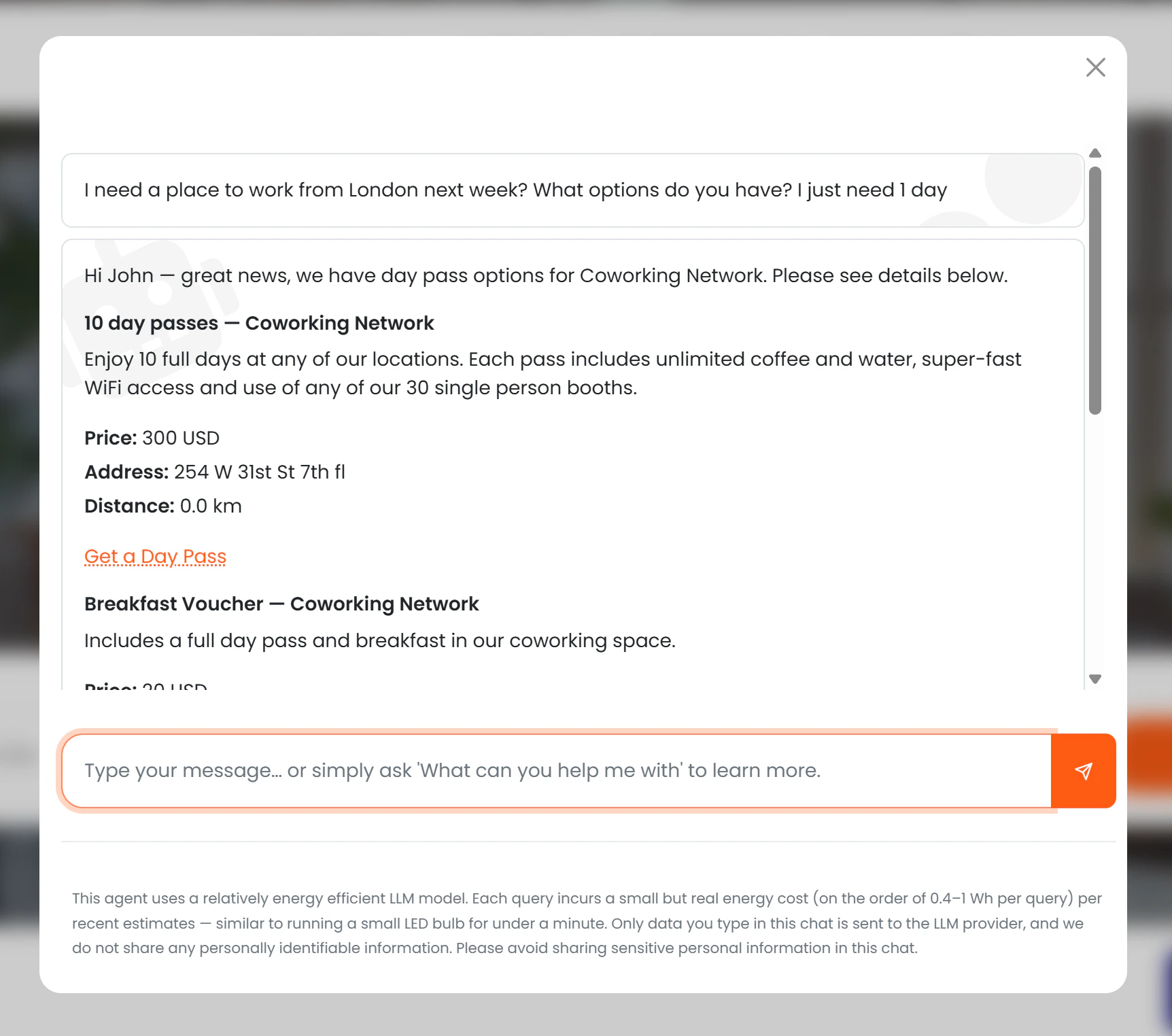
For each eligible day pass, the AI presents:- Name and description
- Price (if Show price to AI is enabled)
- Location name and address
- Distance from the user (if location permission granted)
- A “Get a day pass” button linking directly to the purchase page
Visibility rules
| Condition | What the AI does |
|---|---|
| Available to AI = off | Pass is never mentioned |
| Available to AI = on, Visible = on | Full details and purchase link are shown |
| Available to AI = on, Visible = off | AI tells the user that options are available and to contact the team — no price or link is shown |
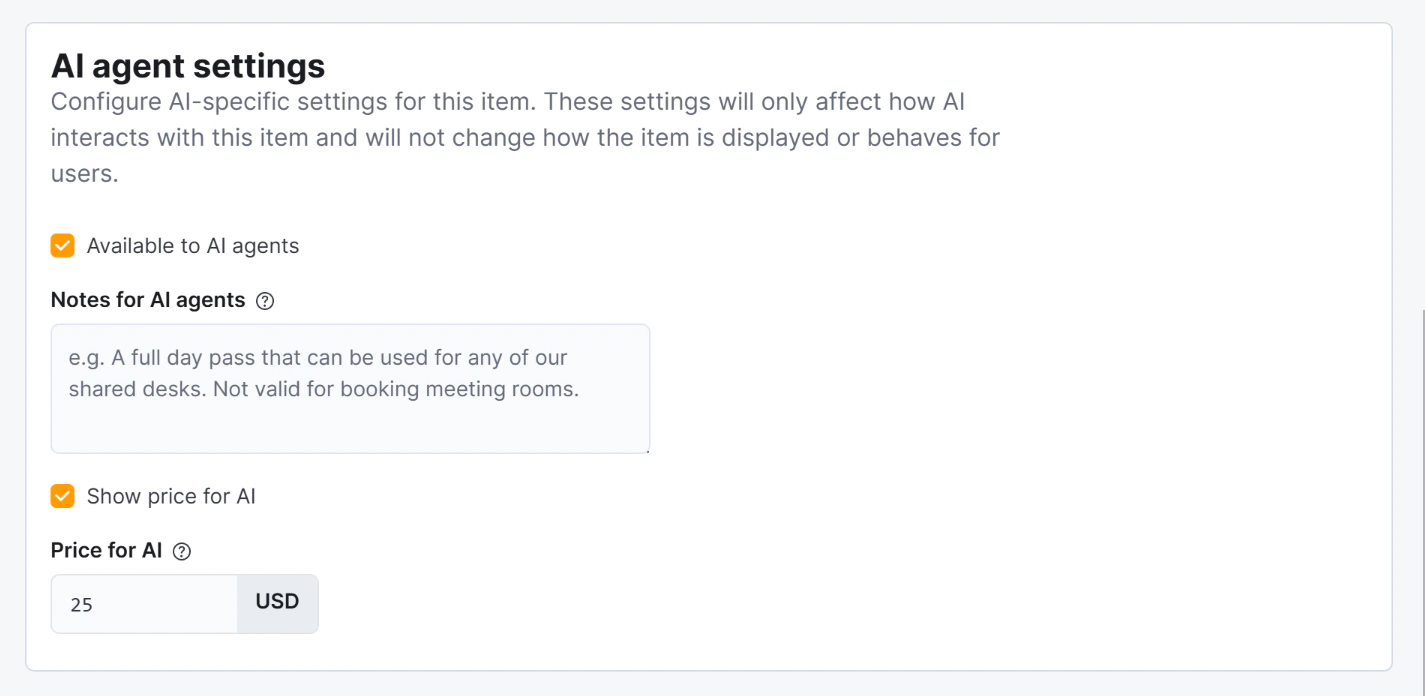
| Show price to AI = off | Pass is described without a price |
| Price for AI is set | That price is shown instead of the regular price |
Conversion tracking
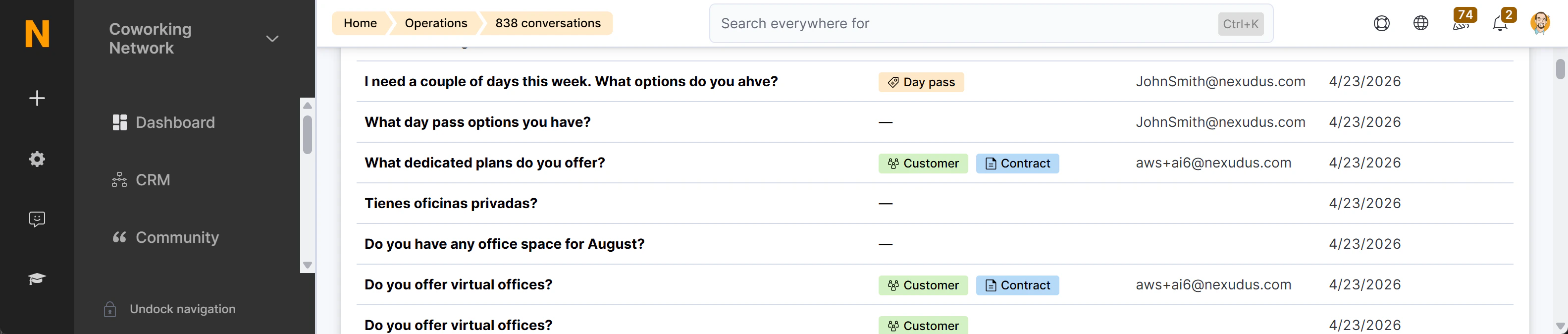
The purchase link generated by the AI contains the session ID of the current conversation. When the member or visitor completes the purchase, Nexudus records the link between the day pass sale and the chat session. This conversion appears as a “Day pass purchased” badge (peach colour) in the AI Conversations list, with a direct link to the CoworkerProduct record.