Start date requirement
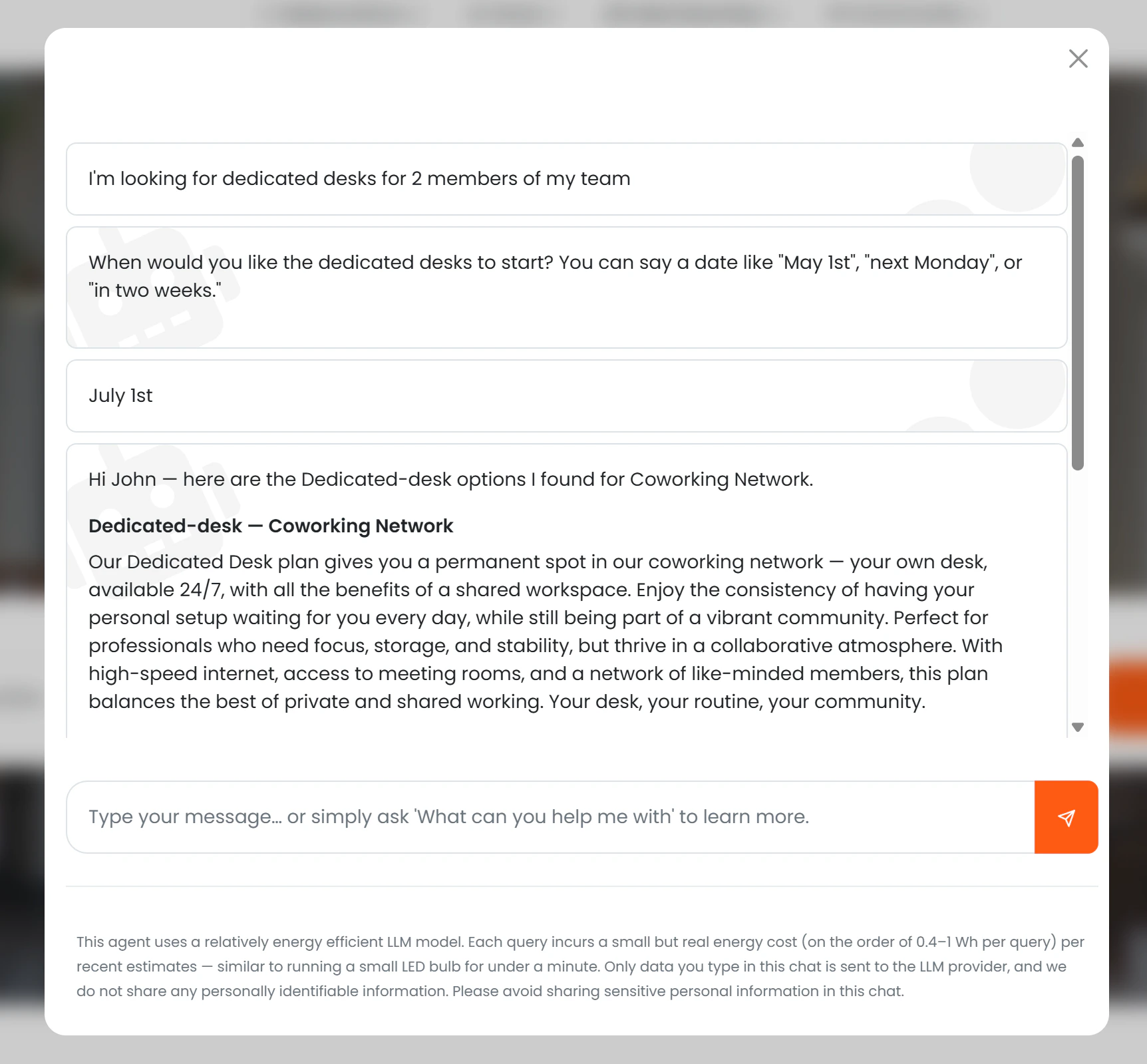
A start date is required to generate a valid checkout link. If the prospect has not mentioned one, the AI asks for it before presenting plans. Once a start date is provided, each plan card includes a “Sign up for [Plan Name]” button that takes the prospect directly to checkout with the plan and start date pre-selected.What the AI shows
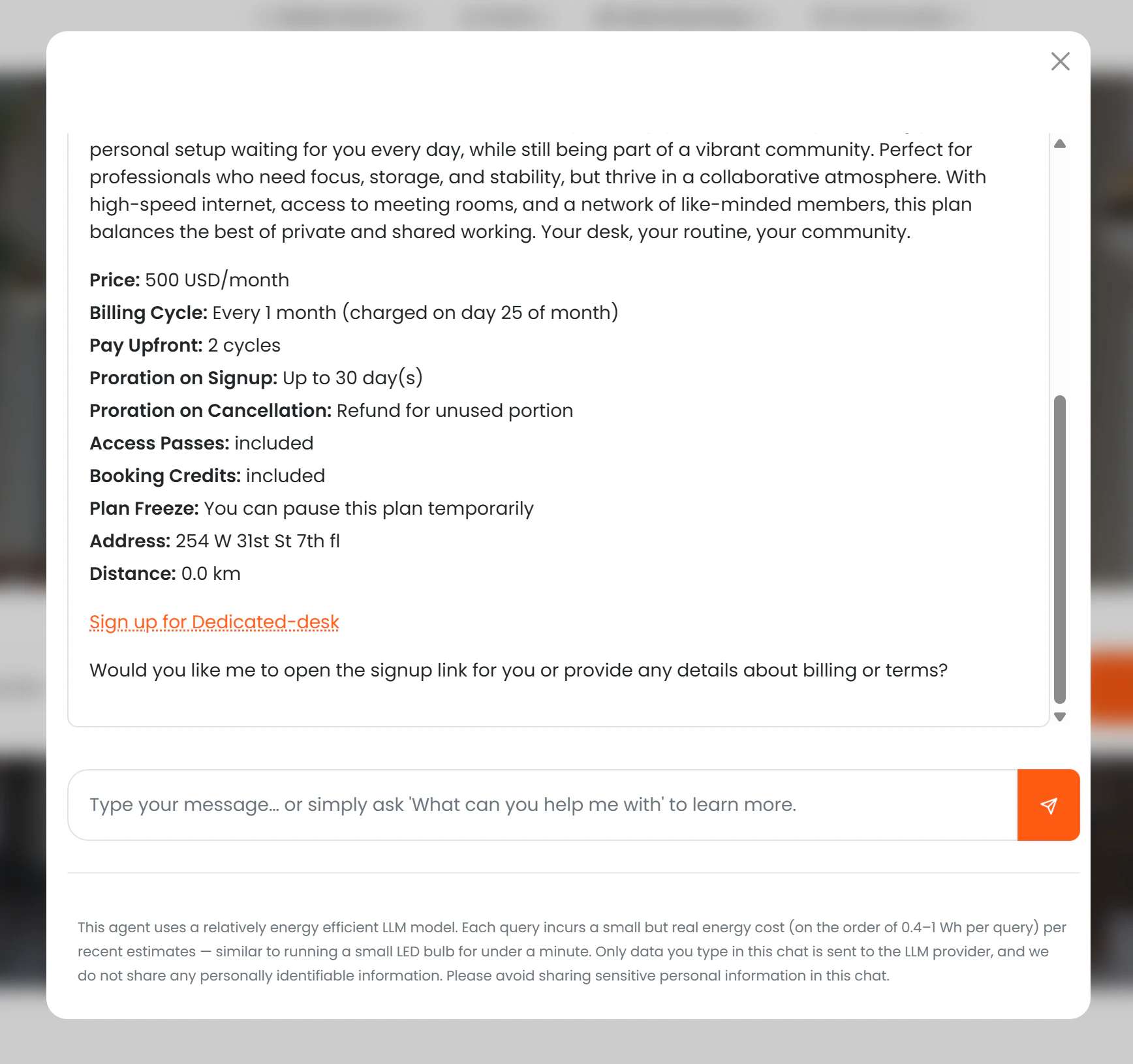
For each eligible plan, the AI presents:- Name and description
- Monthly price (if Show price to AI is enabled)
- Sign-up fee (if applicable)
- Billing cycle
- Notice period
- Whether the plan includes time passes or booking credits
- Location name, address, and distance from the user
- A “Sign up for [Plan Name]” call-to-action button
Plan types
The AI understands natural-language descriptions of plan types and maps them to the correct tariff categories in Nexudus:| What the prospect says | What Nexudus searches |
|---|---|
| Hot desk / flexible desk / coworking | Full-time and part-time hot desk tariffs |
| Dedicated desk / fixed desk | Full-time and part-time dedicated desk tariffs |
| Virtual office / postal address / registered address | Virtual office and virtual tariffs |
Visibility rules
| Condition | What the AI does |
|---|---|
| Available to AI = off | Plan is never mentioned |
| Available to AI = on, Visible = on | Full details and sign-up link are shown |
| Available to AI = on, Visible = off | AI acknowledges options exist and directs the user to contact the team |
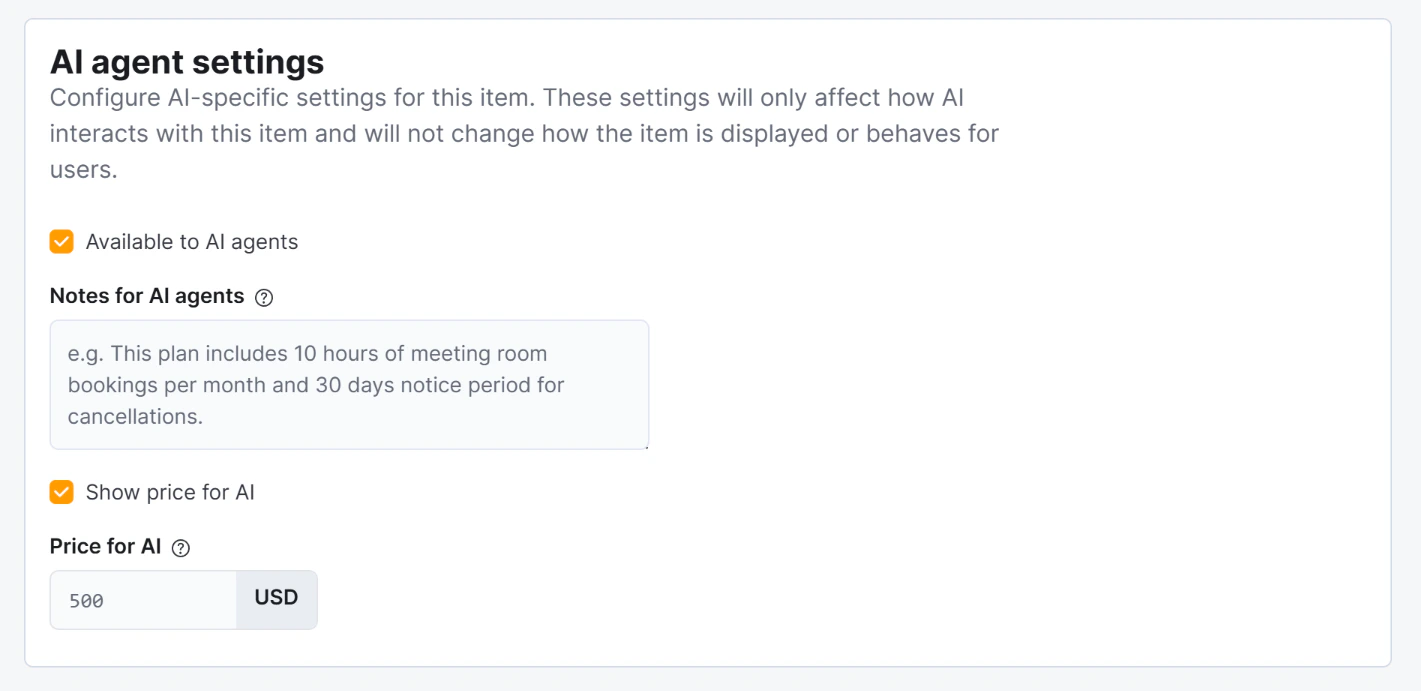
| Show price to AI = off | Plan is described without a price |
| Price for AI is set | That price is shown instead of the regular price |
Conversion tracking
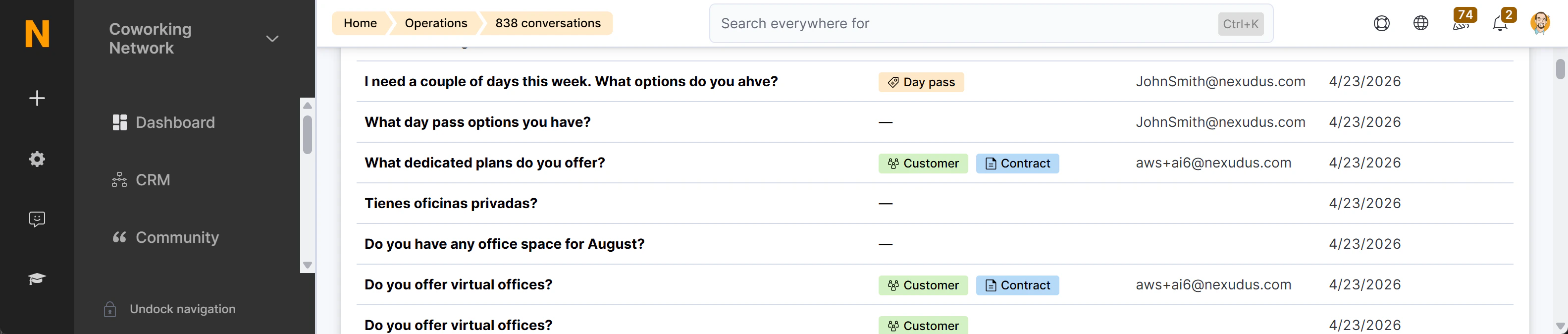
The sign-up link contains the session ID, the selected tariff ID, and the chosen start date. When the prospect completes checkout and a contract is created in Nexudus, the system records the link between that contract and the chat session. This produces up to two conversion badges in the AI Conversations list:- “Customer created” (green) — if the person was not already in Nexudus as a customer
- “Contract created” (blue) — for the membership contract itself