How the AI collects requirements
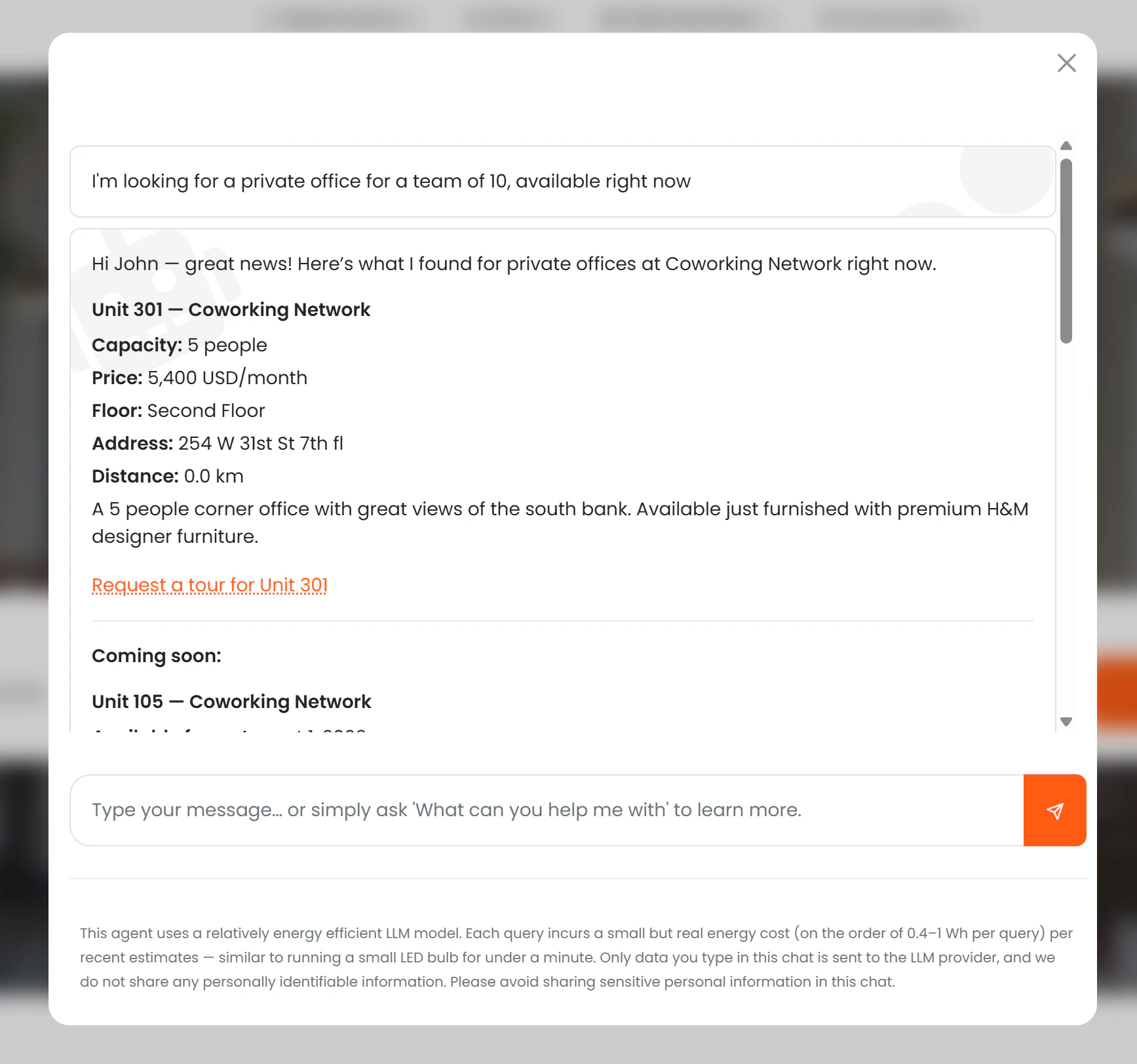
The AI gathers the prospect’s needs before presenting offices:- Move-in date — when they want to start
- Team size — minimum capacity needed
- Monthly budget — optional upper limit
What the AI shows
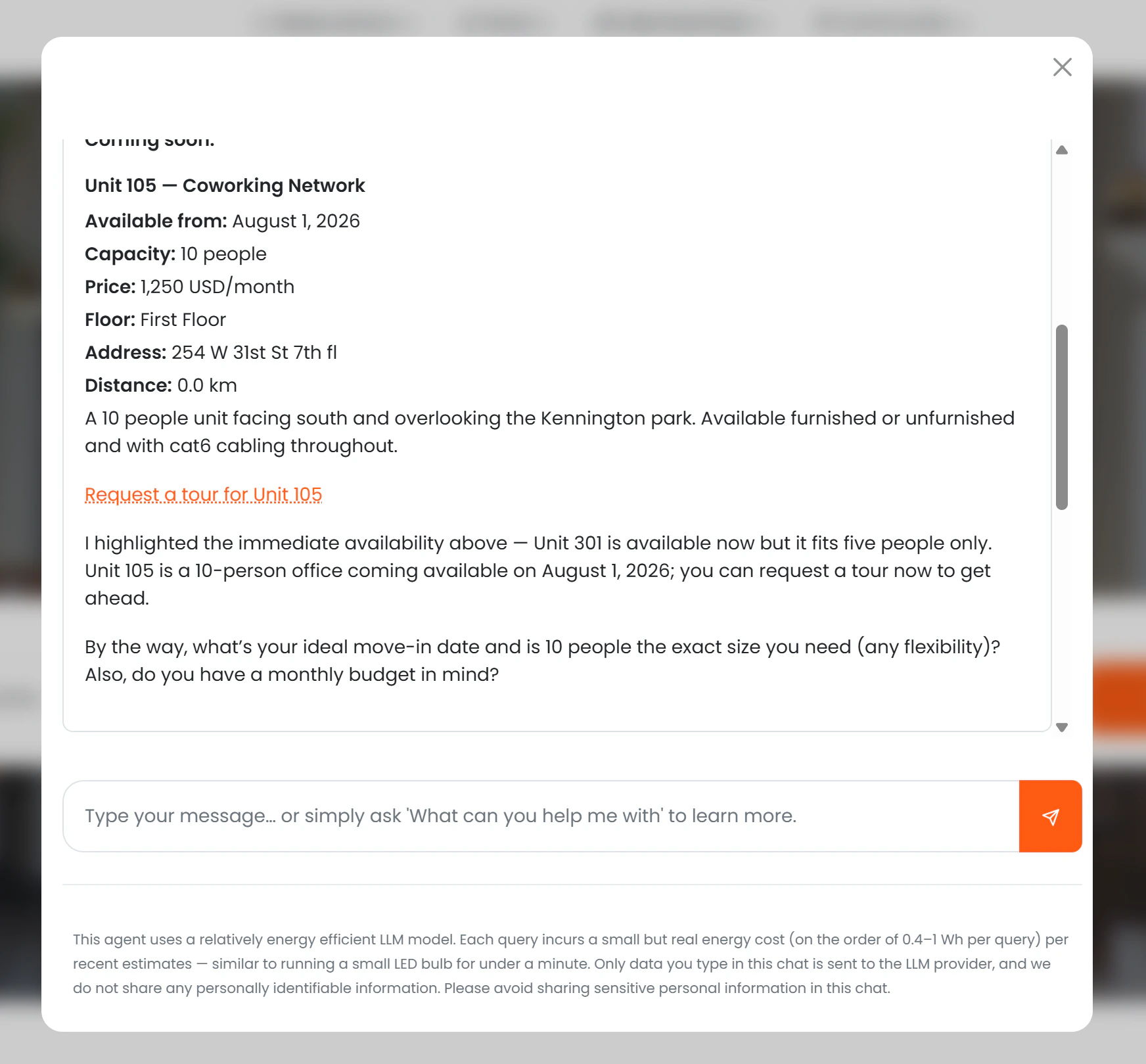
For each matching office, the AI presents:- Office name and description
- Capacity
- Monthly price (if Show price to AI is enabled)
- Floor plan location within the building
- Location name, address, and distance from the prospect
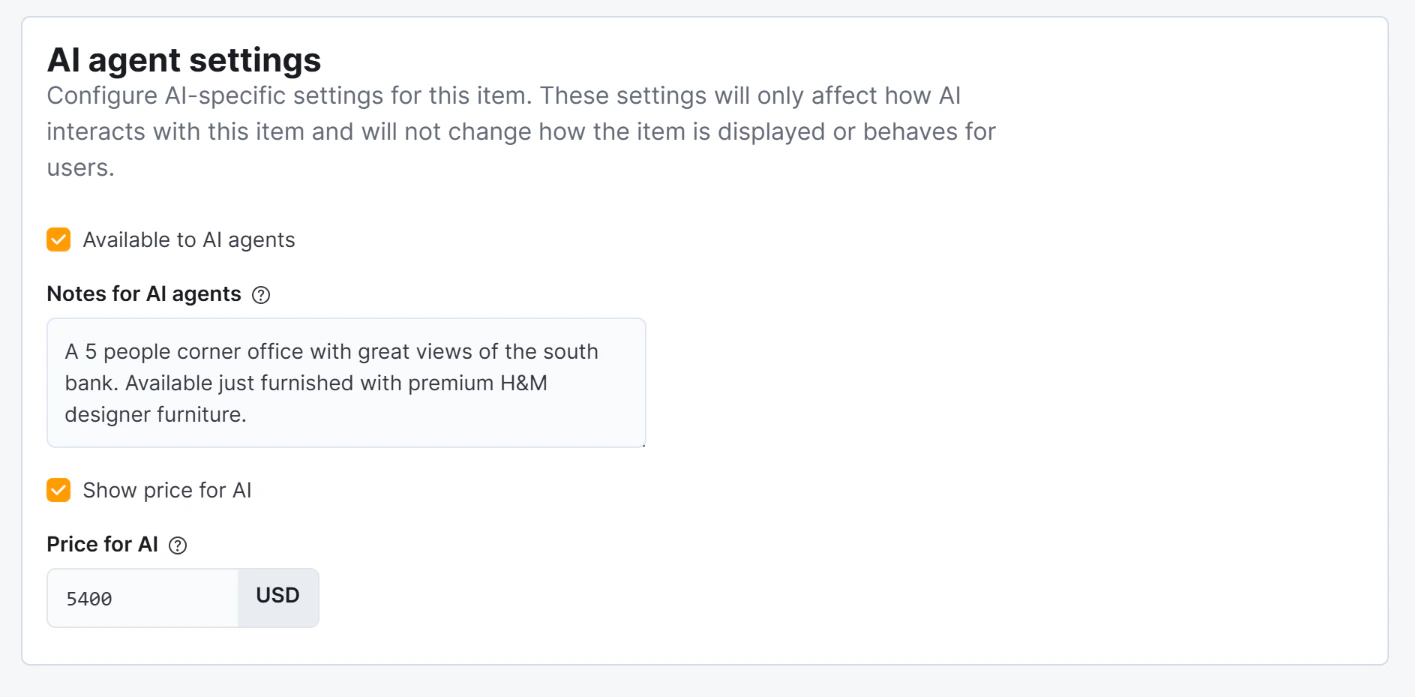
- Notes (drawn from Notes for AI)
- A “Request a tour for [Office Name]” link
Availability logic
The AI checks live contract data to determine each office’s status and decides what to show:| Status | Condition | What the AI shows |
|---|---|---|
| Available now | No active contract on the office | Full details and tour link |
| Coming soon | Active contract with a known end date | Full details, tour link, and the date it becomes available |
| Not shown | Active contract with no known end date | Office is silently excluded |
Visibility rules
| Condition | What the AI does |
|---|---|
| Available to AI = off | Office is never mentioned |
| Available to AI = on | Office is shown (subject to availability logic above) |
| Show price to AI = off | Office is described without a price |
| Price for AI is set | That price is shown instead of the regular price |
Conversion tracking
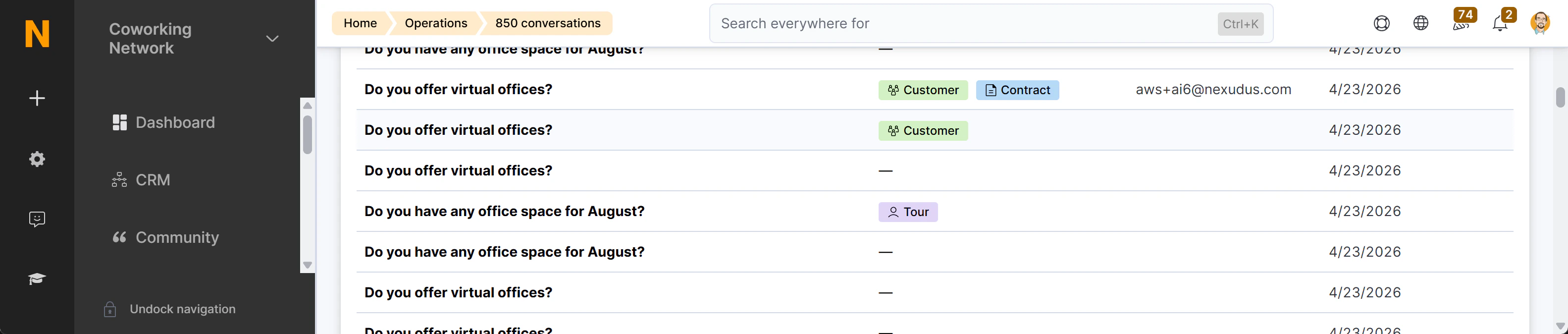
The tour request link contains the session ID and a summary of the prospect’s stated requirements (capacity, budget, move-in date). When the prospect submits the tour request form, Nexudus creates a Visitor record and links it to the chat session. This appears as a “Tour booked” badge (lavender colour) in the AI Conversations list, with a direct link to the Visitor record. Additionally, the full AI conversation that led to the tour is embedded directly on the Visitor record — giving your team context before the visit. See Monitoring Conversations for details.